- Modern Warfare 2 supports controllers on PC, consoles, and Steam Deck.
- The game has crossplay options between different platforms.
- You can invite friends, create private games, and play split-screen.
- There are special co-op modes designed to be enjoyed as a team.
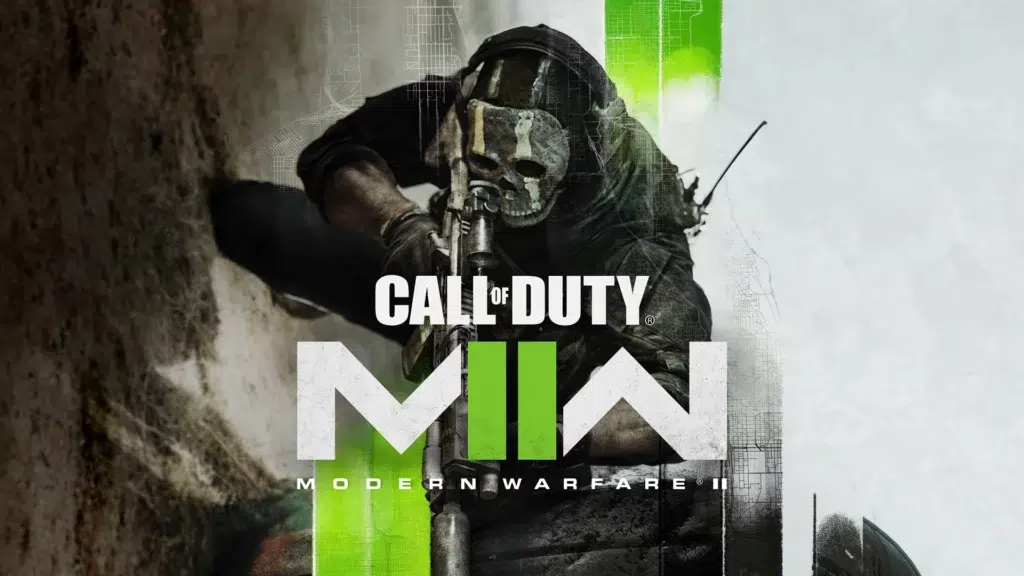
Would you like to play Call of Duty: Modern Warfare 2 using a controller instead of a keyboard and mouse? Whether it's because you find it more comfortable or because you're more used to console controls, the good news is that you can play with a controller on PC , although it's not always as seamless as on consoles.
This article explains how to configure a controller in MW2 , what multiplayer and split-screen options are available, how to invite your friends, and all the possibilities for getting the most out of the game. We've compiled the best information from the most relevant sources and expanded it to give you the most comprehensive guide you'll find in Spanish.
Can I play Modern Warfare 2 with a controller on PC?
Yes, you can play MW2 with a controller even on PC . The game has official support for various types of controllers, including Xbox and PlayStation controllers. However, there are a few things to keep in mind to ensure you have the best gaming experience.
If you're using Steam, controller support is quite simple. Just plug in your controller and Steam will automatically recognize it . For other platforms like Battle.net or unofficial versions, you may need to configure your controller manually using external tools or through the game's settings.
Also keep in mind that some users have reported issues on forums like Reddit with character turns or certain buttons not responding correctly. These issues are often related to incorrect controller type detection or input profile conflicts.

Controller Configuration in Call of Duty: MW2
To ensure your controller works properly in Modern Warfare 2, follow these steps:
- Connect the controller to your PC before starting the game.
- Open Steam (if you use this platform) and go to the Library.
- Right click on MW2 and select Properties > Controller.
- Make sure you have the appropriate option selected to use your controller type (Xbox, PlayStation, or generic).
- Start the game and enter the menu settings > controls.
- Check that the input type is in Gamepad and customize the buttons if you think it is necessary.
On Steam Deck , many players have also inquired about compatibility on Reddit. While some report partial functionality or other issues, most confirm that you can play fine with the Steam Deck controller or by connecting an external controller via Bluetooth if you configure it correctly.

Playing with friends in MW2
One of the best ways to enjoy Call of Duty: Modern Warfare 2 is with your friends. The process to invite them and join their games is very simple from any platform:
- Open the game and access the multiplayer main menu.
- Press the button "Options" to enter the menu "Social".
- From there, you'll see your current group and the option to invite players.
- You can invite your connected friends and wait for them to join.
You can also search for a friend manually from the "Friends" tab within the same social menu. Here you only need to enter their Activision account ID , which includes their name and a number after a hash symbol (for example, "Player#123456").
Once the notification is sent, you just need your friend to accept it to have it available in your contact list.
Is it possible to play across platforms?
Of course! Call of Duty: Modern Warfare 2 has full crossplay . This means you can play with friends regardless of whether they're on PC, PS4, PS5, Xbox One, or Xbox Series X/S.
All you need is to be connected through your Activision account and have cross-play enabled in your console or PC settings. This feature is especially useful if you play with a keyboard and mouse on PC and your friends use a controller on console… or vice versa!
How to play split screen?
Call of Duty: Modern Warfare 2 allows local split-screen play , but only on consoles. If you're playing on PlayStation or Xbox, you have the option to connect a second controller and start the game with a friend, sharing the same screen.
This is not available on PC, which is quite limiting for users who want to play local multiplayer on a computer.
The steps to activate split screen on console are these:
- Connect a second controller to the device.
- Balance X or A on the second controller for the second player to join.
- Once inside, select the mode you want to play together in local multiplayer.
And that's it! Now you can enjoy the game together without the need for another console or additional subscriptions.

Cooperative modes available
Call of Duty: Modern Warfare 2 includes three special cooperative game modes where you can play with a friend or with other players online:
- Low profile: stealth missions with specific objectives.
- Restricted area: infiltration into enemy territory with tactical combat.
- Defender: MT. Zaya: defense of objectives against enemy waves.
To access these modes, go to the multiplayer menu and select the "Co-op" category . Here you can choose the scenario you prefer. All modes are designed to be played by two people, so make sure you have someone to play with or find another player online.
Create private games
If you prefer to play alone with your friends and control every detail of the game, you can easily set up private games.
The steps are:
- From the multiplayer menu, go to the section «Featured».
- Select option «Private Game».
- Click on Create private game and choose the desired mode.
You can invite your friends from here, and you also have the option to modify the game rules , change the map, the number of lives, respawn times, among other settings that make the experience more personalized.

Common errors and how to fix them
Some players on forums like Reddit or Microsoft Answers have reported problems with the controller when entering the game, such as the camera rotation not being detected correctly or the buttons not responding.
If you have similar problems, try one of these solutions:
- Disconnect and reconnect the controller before opening the game.
- Make sure it is Gamepad mode activated in the game settings.
- Restart Steam or the client you are running MW2 from.
- On Steam, use the tool command configuration to take a test.
- Check for pending updates to both the game and controller firmware.
These errors often occur due to conflicts between connected peripherals or because the game is started with the controller plugged in after the system has booted up. Always try connecting the controller before launching MW2 to avoid confusion.
Playing Call of Duty: Modern Warfare 2 with a controller, whether on console or PC, is completely viable and easy if you follow the right steps. Plus, you have multiple options to enjoy the game with friends thanks to cross-platform support, split-screen, and special co-op modes. Customize your matches to your liking, configure your controller however you prefer, and play solo or with friends in total comfort.

Table of Contents