- digiKam 9 modernizes its technical base with Qt 6, optimizes performance and stability, and significantly expands RAW support for recent cameras and drones.
- The new Survey tool, along with improvements to tags, filters, and metadata, streamlines the selection and organization process in large collections.
- Advanced search, batch geolocation, and flexible management of ignored folders reinforce its role as a professional library manager.
- All of this is offered as free, cross-platform, and cost-free software, consolidating digiKam as a powerful alternative to proprietary solutions.
If you regularly take photos, you know that accumulating thousands of images on your computer happens very quickly. Between what you download from the internet, what you shoot with your camera, your phone (see our mobile photography guide ), or even drones, you end up with a mountain of files that's impossible to manage without a good cataloging tool.
In this area, digiKam 9 has become a benchmark among free software for organizing and editing photo and video collections. This major update represents a significant technical leap, improves performance with large libraries, and introduces new features designed for photographers who need a streamlined workflow, whether they are professionals or advanced amateurs.
What is digiKam and why is version 9 of so much interest?
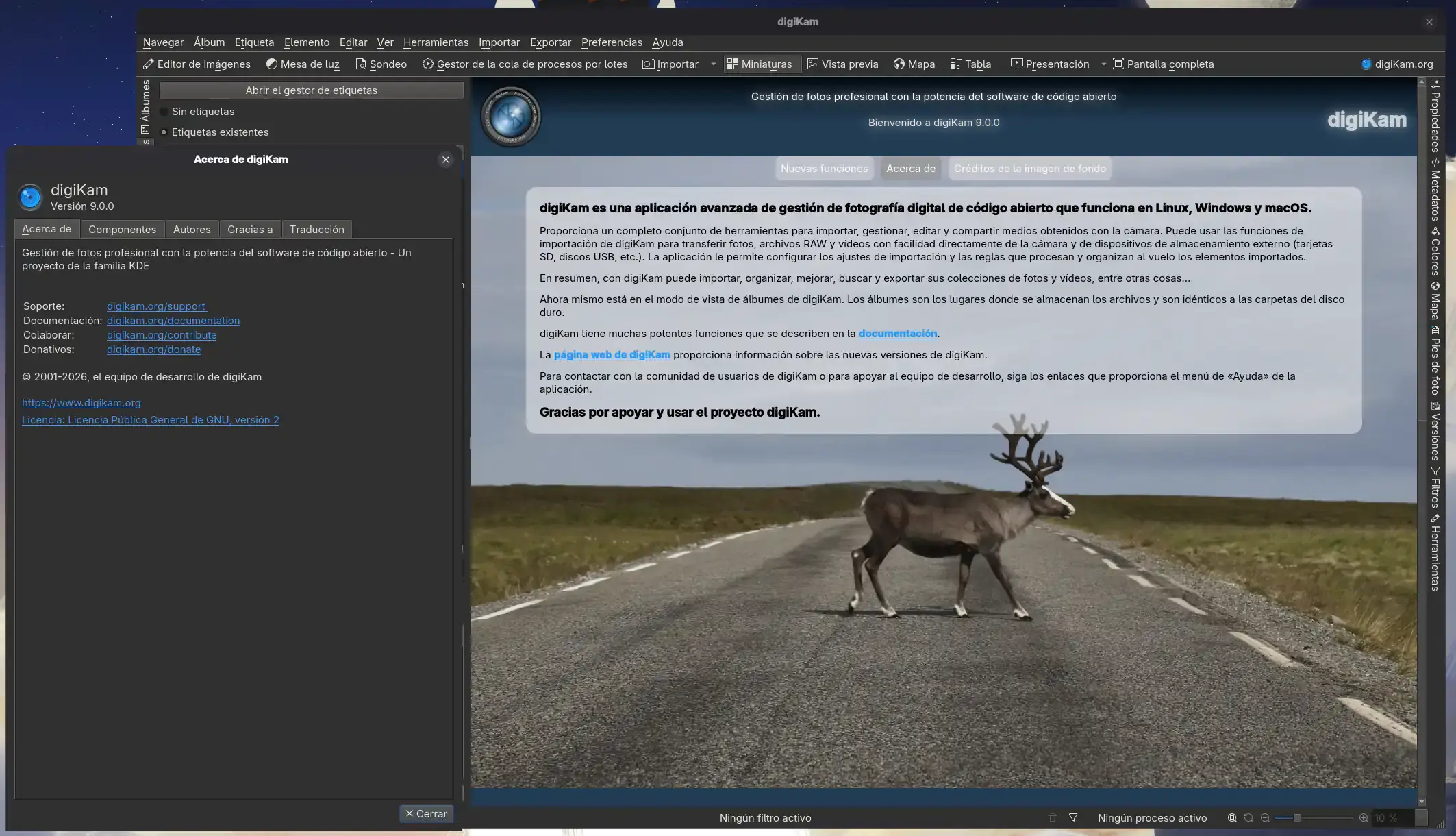
digiKam is a free and open-source photo suite that is part of the KDE ecosystem, although it is developed quite independently, similar to projects like Krita. It is available for Linux, Windows, and macOS, and focuses on three key areas: collection management, advanced organization using metadata, and editing tools and integration with external plugins.
In practice, this means you can import photos from cameras, mobile phones, memory cards, or local folders , group them into albums, apply tags, ratings, and comments, locate people using facial recognition, geolocate images with maps, and perform highly precise searches in seconds. All of this without paying for licenses or subscriptions.
The arrival of digiKam 9 marks a turning point because the team has invested over two years in development , modernizing the technical foundation (especially the migration to Qt 6), improving performance with large libraries, refining the interface, and expanding support for new RAW formats, cameras, and drones. Furthermore, many classic features, such as filters, metadata template management, and file import and copying, have been completely redesigned to be clearer and more reliable.
Technical leap: complete migration to Qt 6 and performance improvements
One of the most significant changes in digiKam 9 is that its core has been completely ported to Qt 6. In the case of the AppImage for Linux and the installer for macOS, the core code has been migrated to Qt 6.10.1, while the Windows package based on Qt 6 uses Qt 6.9.1 along with KDE Frameworks 6.20.0. Qt 5 builds are also maintained for Linux, Windows, and macOS, intended for environments where the full transition has not yet taken place.
This transition to Qt 6 is noticeable in everyday use: the application is smoother when navigating through thousands of thumbnails , responds better on high-resolution screens, manages background processes more effectively on Windows 11, and performs more stably in Wayland sessions under Linux. In massive catalogs where there were previously stutters when switching between albums or opening large previews, the experience is now considerably smoother.
On macOS, digiKam 9 works with macOS Catalina 10.15 on Intel systems and macOS Big Sur 11 on Apple Silicon . The packages are still unsigned for Gatekeeper, so you have to open the application from the context menu (using the "Open" option) or by adjusting the security preferences the first time you use it. It's a small extra step, but it's the price you pay for maintaining an open-source project with its own distribution.
Along with this framework upgrade, version 9 integrates optimizations to the internal database and thumbnail generation . Work has been done on both read and write speeds and stability, reducing blocking during view reconstruction, collection scanning, and large-scale metadata or facial recognition operations. Improved cache management is also noticeable, which is crucial when working with albums containing thousands of raw files and videos.
Expanded RAW support: over 1200 formats and new cameras and drones
If you shoot in RAW, one of the most important new features is the update of the LibRaw engine to version 20260215. Thanks to this, digiKam 9 recognizes more than 1200 RAW formats and adds compatibility with a long list of recent cameras, both traditional and more specialized.
Among the cameras now officially supported are advanced Canon models such as the EOS R1, R5 Mark II, R5 C, R6 Mark II, R8, R50, R100, and the Canon Ra, designed for photographers working in high resolution, sports, nature, or even astrophotography. This allows them to develop their native files directly in digiKam without having to use proprietary software.
The list also expands to include professional-grade Fujifilm bodies such as the GFX 100S II and GFX100-II, along with the X-T50, X-T5, X-S20, X-H2, and X-H2S, which are very popular in street photography and hybrid video. Leica support is also included for models like the Q3 43, D-Lux8, SL3, standard Q3, and M11 Monochrom, geared towards photographers seeking a meticulous RAW workflow without relying on a paid ecosystem.
For Nikon, digiKam 9 adds cameras such as the Z6-III, Z f, Z30, and Z8 (currently with standard compression), while for Panasonic, it covers bodies like the GH7, S9, DC-G9 II, DC-S5-II, DC-GH6, and the advanced compacts DC-ZS200D/ZS220D and DC-TZ200D/TZ202D/TZ220D. Pentax incorporates models like the KF and K III Monochrome, and for Sony, it adds support for the ZV-E10M2, A9-III, A1, ILX-LR1, A7C-II, A7CR, ILCE-6700, ZV-1M2, ZV-E1, ILCE-7RM5 (A7R-V), ILME-FX30, UMC-R10C, and other recent bodies.
Beyond traditional cameras, the improved LibRaw engine also handles drone footage from manufacturers like DJI and Skydio much better , as well as DNG files generated by many current smartphones, especially when using telephoto lenses in mobile photography . This makes it easier to integrate photos from the main camera with aerial shots and mobile captures into a single collection, which is very useful when documenting events, taking landscape photographs, or working on complex audiovisual projects.
Updated interface: welcome screen, date format, and color labels
The visuals have also received a makeover. The digiKam 9 welcome screen has been completely rewritten using C++/Qt code, abandoning the previous version based on QtWebEngine and Bootstrap, which caused stability issues, especially on Windows. Now the homepage is lighter, more modern, and more straightforward, with clear access to essential functions when you launch the application for the first time.
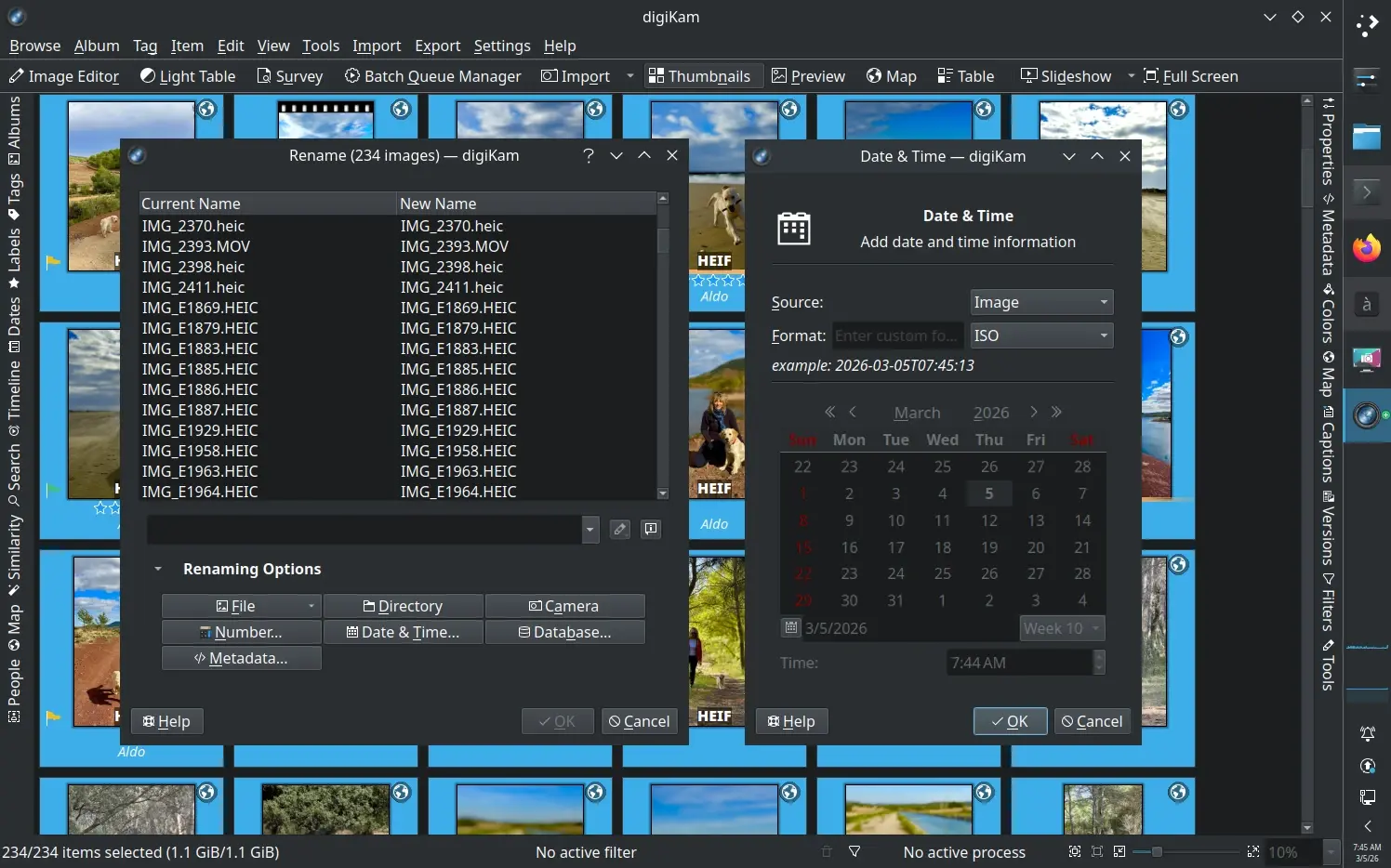
Another very practical improvement is the ability to customize the date format displayed throughout the interface , including the seconds in the shooting timestamp. It might seem like a minor detail, but if you work with bursts, very long sequences, or mix photos and video, seeing the exact time and seconds makes it easier to identify the key moment and reliably group sessions.
Color labels have also been refined: you can now rename color label names directly from the Labels tab in the left sidebar. Simply double-click the text to change it, with a maximum length of 32 characters to ensure readability. This customization works particularly well with workflows that use color coding to indicate statuses such as "pending review," "edited," "ready to export," and so on.
The filters view has been reorganized for greater clarity: instead of a jumbled mess, it's now divided into three distinct tabs: Properties, Tags, and People . This makes it easier to apply specific filters when searching for certain files (by date range, cameras, detected people, thematic tags, rating, etc.) without having to wade through confusing menus.
In the Recycle Bin, digiKam 9 remembers the state of columns between sessions , which helps maintain a consistent environment when you need to review what you're going to permanently delete. Additionally, configurable columns for "Grouped" and "Versioned" properties have been added to the icon and table views, and the behavior of grouped items has been adjusted for better identification when opened in preview.
More powerful management of collections, ignored folders, and file copies
When your collection reaches a certain size, one of the keys to avoiding headaches is being able to exclude folders and patterns that shouldn't be included in the catalog . digiKam 9 reinforces this idea with a more flexible system for specifying directories to ignore in collections, now with support for regular expressions and wildcards. This allows you to remove temporary copies, off-project material, or working folders you don't want indexed from your scans.
This approach directly impacts performance and catalog cleanliness: the scanning engine no longer wastes time traversing irrelevant paths , the risk of pointless duplicates is reduced, and it's easier to maintain a logical structure over time. In shared environments (studios, associations, photography groups), it greatly helps to avoid conflicts and misunderstandings with shared libraries.
Another area that has been revamped is the interface for copying and transferring files . The dialog box has been redesigned from the ground up to be clearer, avoiding confusing messages when the destination folder doesn't exist, improving the presentation of errors, and providing more intuitive control over what is being copied or moved. This also translates into better handling of errors during imports from cameras or mobile devices.
In the advanced renaming section, digiKam 9 incorporates a new date format modifier that provides more options for inserting dates and times into filenames. Combined with support for custom numbering, you can create highly specific renaming schemes (by project, session, client, etc.) and apply them in batches without needing external tools.
In addition, the metadata template system has become more flexible: it is now possible to merge existing template entries with a new template on already tagged items, which streamlines the management of descriptive data when you need to update complex IPTC/XMP structures in older collections.
Metadata and tags: more control, better tools, and a streamlined workflow
Metadata management is one of the areas where digiKam 9 has invested the most effort. For starters, a button has been added that allows you to copy all the properties of an element as text to the clipboard . This is incredibly useful when you need to paste EXIF, IPTC, or XMP data into a report, a client email, or a technical support ticket without having to take screenshots.
Alongside this, there is a button to open the current file directly in the system's file manager , which is very convenient when you want to physically locate an image or video on disk to process it with another tool, archive it, or move it to another volume without going through the internal interface.
If no item is selected in the icon view, digiKam 9 displays statistics for the current album , providing a quick overview of file volume, types, space occupied, or overall status of the collection without requiring additional reports.
The image and video preview toolbar has been enhanced with an integrated tag editor , allowing you to adjust tags, ratings, and selection marks without leaving the large image view. Additionally, a dedicated toolbar has been added with buttons for exposure indicators, color management, OSD, and a magnifying glass, along with a new context menu in the video player.
During image loading in the preview and light table, a progress indicator now appears in the status bar , and trackpad gesture support has been enabled for zooming, panning, and navigating between elements. A magnifying tool with configurable size and zoom factor has also been introduced, and over- and underexposure indicators have been implemented on the preview canvas, which are very useful for quickly assessing whether a shot is overexposed or underexposed.
Survey Tool: The new view for filtering photos like a pro
One of the major functional additions in digiKam 9 is the Survey tool , designed to speed up the review of entire sessions. This view opens in a separate window, ideal for working with a second monitor or in full-screen mode when you want to focus solely on the selection without distractions.
Survey acts as a synchronized preview of the main window's icon view . It includes a thumbnail bar representing the current album, a central area for displaying the photo or video with zoom and pan, and a right sidebar with access to advanced properties, geolocation, comments, titles, and other relevant information.
From this tool, you can rate, tag, and apply color or selection marks to images just like in the main interface, but with the convenience of having everything displayed in a large, well-organized format. Furthermore, Survey provides direct access to plugins such as the metadata editor, export tools, and slideshows, making it a powerful hub for culling after an intense session.
This mode was, in fact, a long-standing request from the community (listed as a wish in Bugzilla), and is now presented as a clear response to those who had been asking for an experience similar to Lightroom's survey view, but in a completely free and cross-platform environment.
All of this, combined with improvements in facial recognition, the ability to manage faces faster, optimization of the people database, and correction of historical errors in face tag synchronization, makes the selection and organization flow much more robust than in previous versions.
Advanced search, flexible sorting, and batch geolocation
The advanced search tool in digiKam 9 has also been enhanced. It's now possible to search by empty or zero-length properties (for example, photos with no location, no author, no keywords), which is very useful when you want to fill in missing metadata or clean up a collection that's been neglected for years.
Support has been added for searching by Author and Creator fields using dropdown lists with values already present in the database, which greatly speeds up the selection of frequent authors without having to manually enter each name. Recently modified items can also be located according to various time criteria, which is ideal when working in batch editing workflows.
In terms of sorting, digiKam 9 allows you to sort by selection (Pick) tags and color tags in both album and import views, as well as by orientation, GPS location, and file format in album view. This lets you, for example, quickly group all vertical photos, those with coordinates, or those belonging to a specific file type when preparing material for different channels.
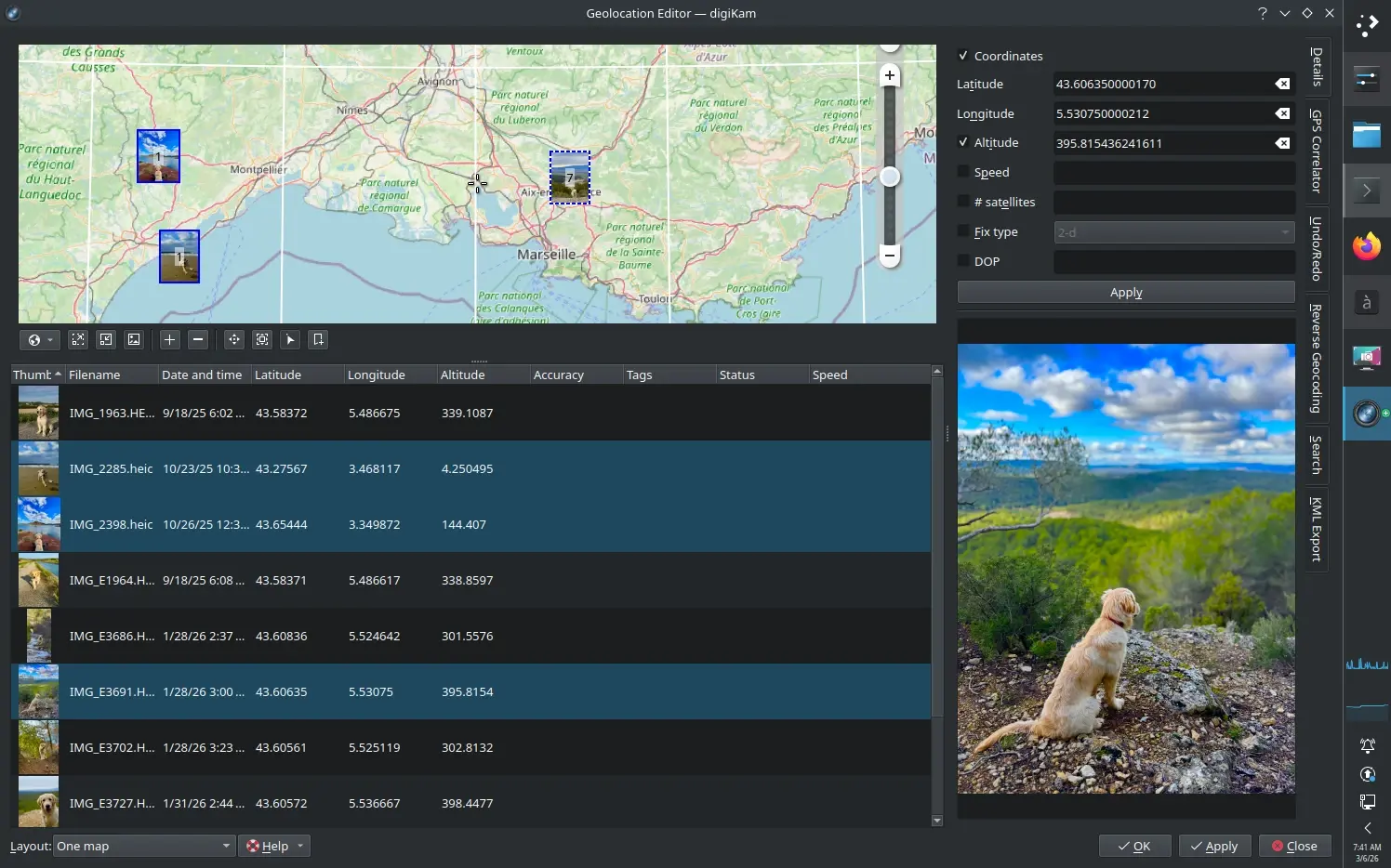
The geolocation editor has gained a much-anticipated feature: batch coordinate editing for multiple images. This makes it easier to assign the same position to a series of photos taken in the same location, correct GPS errors, or adjust entire series imported from devices without automatic geolocation, without having to do it one by one.
Many of these features respond to previous requests collected in the project's bug tracking system: searches by specific metadata fields (Artist, City, Country, etc.), improvements in correlation with GPX files, corrections in reading and writing IPTC and XMP tags, as well as solutions to problems with EXIF orientation, automatic rotations and synchronization between database and files.
Editor, plugins and fixes: G'MIC-Qt updated and over 200 fewer bugs
The integrated image editor and external plugins are also included. digiKam 9 updates the G'MIC-Qt plugin to its latest version , incorporating hundreds of open-source filters and effects for creative and technical processing. From advanced color adjustments to film simulations, noise reduction, and artistic effects, the G'MIC integration greatly expands what you can do without leaving the application.
The editing experience includes small details that make a big difference: a "marching ants" effect is added to selections to better see the active outline, color histogram indicators are added to tools such as Curves, Levels, White Balance and Sepia Black and White, and historical problems with the visibility of selections on white backgrounds are fixed.
The slideshow and presentation module now allows you to customize the background color for transparent images , replacing the classic black with any shade you prefer. Gradual improvements have also been added, such as zoom support in slideshows, thumbnail bars, rotation options, and even the ability to delete elements while reviewing presentations.
Regarding overall stability, the digiKam team highlights that over 200 bug reports have been closed in this version 9.0.0, covering a wide range of areas: internal MySQL database failures, crashes when rebuilding thumbnails or downloading photos from some cameras, problems with ExifTool integration, crashes related to faulty ICC profiles, glitches in HiDPI display support, errors when working with many images at once, conflicts with people tags, and much more.
This debugging effort not only improves the daily experience but also reinforces confidence in digiKam as a core tool for demanding workflows. The online documentation and project blog also include very detailed lists of changes, added cameras, bug fixes, and technical issues—something especially valuable for advanced users and system administrators.
digiKam as a comprehensive organizer: key features and availability
Despite all the new features, digiKam 9 retains what has made it popular for years: it's a comprehensive application for importing, cataloging, editing, and publishing photos and videos. It allows you to create custom albums, use stars, tags, and comments to categorize, activate facial recognition to identify people, geolocate images on maps, and perform complex searches by combining date, camera, subject, tags, location, or editing status.
It includes basic and advanced editing tools (color adjustments, exposure corrections, cropping, straightening, noise reduction, filters, etc.), support for RAW processing via LibRaw, integration with FFmpeg for handling video, and a batch queue manager for automating repetitive tasks on large sets of files. Furthermore, it can be used in conjunction with other editors such as Darktable or GIMP 3.2 when you need even more specialized RAW workflows.
digiKam is completely free and open source , with no premium versions or features locked behind a paywall. It is distributed as a 64-bit AppImage for Linux (compatible with systems using glibc >= 2.31), installers and packages for Windows 10 and later, and versions for macOS on both Intel and Apple Silicon. It is also often included in GNU/Linux rolling release distributions in formats like Flatpak and Snap, although these packages depend on third parties.
The project offers a fairly comprehensive user manual , available in web and EPUB formats, with support for several languages (including Spanish, although not always 100%). This manual covers everything from the initial steps in the main window, using the sidebars, the light table, and the batch queue manager, to color editing, advanced settings, geolocation, collection maintenance, export tools, and the various presentation views.
With all these changes, digiKam 9 solidifies its position as a very strong alternative to proprietary solutions like Lightroom or Google Photos , especially for those who prefer to have control over their files, avoid cloud dependency, and work with auditable and adaptable tools for the long term. The move to Qt 6, expanded RAW support, the Survey tool, improved metadata, and massive bug fixes make it clear that the project is still very much alive and ready to support photographers and creators for many years to come.
- title: Key new features of digiKam 9 in photo management