- GIMP 3.2 incorporates non-destructive linked layers and vector layers, bringing its workflow closer to that of Photoshop's Smart Objects.
- The update improves painting, text, and prepress with new MyPaint brushes, Overwrite mode, a CMYK selector with Total Ink Coverage, and advanced GEGL filters.
- Format compatibility is significantly expanded with improved support for PSD/PSB, Procreate, DDS BC7, OpenEXR, SVG, PDF and various specialized formats.
- It is available for free for Windows, macOS and Linux (Flatpak, Snap, AppImage), establishing itself as a professional alternative without license costs.

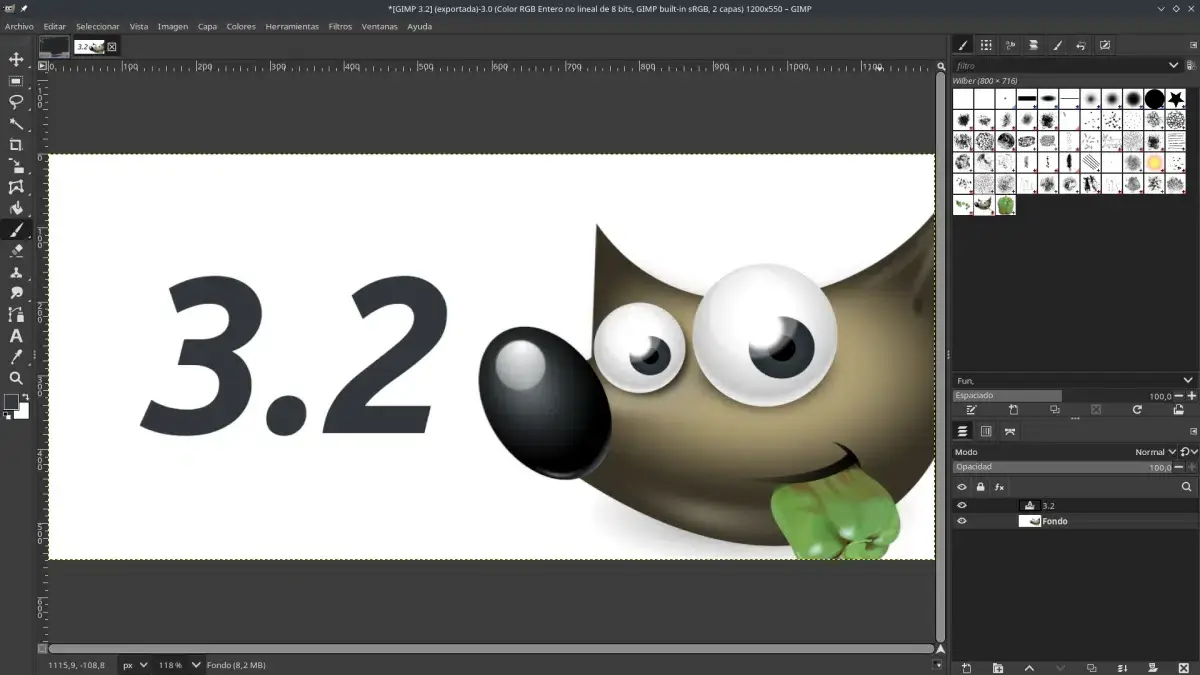
Editing images like a pro without a monthly subscription is no longer a distant dream. With the arrival of GIMP 3.2, the most popular free image editor takes a significant leap forward, especially in everything related to non-destructive layers, vector graphics, and compatibility with other formats . This version arrives approximately a year after the historic jump to GIMP 3.0, and it's clear the team has used that time to refine details and add highly requested features.
In this release, GIMP 3.2 doesn't try to reinvent the wheel, but rather catch up with what's expected of a modern editor: reversible workflows, advanced management of linked layers, better integration with Photoshop files, expanded support for PDF, SVG, DDS BC7, Procreate, and more exotic formats, and a good number of improvements to brushes, text, and everyday usability. Whether you're coming from Photoshop or have been using GIMP for years, you'll notice that the program feels more robust and professional.
What is GIMP 3.2 and why does this version matter so much?
GIMP (GNU Image Manipulation Program) has been the leading open-source image editing tool for years . Version 3.0 represented a huge technical leap thanks to the migration to GTK3 and a much more modern internal foundation. Building on that foundation, GIMP 3.2 arrives as a mature update , with features the community had been requesting for some time: true non-destructive editing, more vector support, improved prepress, and a less clunky user experience.
For technical professionals, small studios, agencies, public administrations, or startups looking to reduce licensing costs , this version is particularly appealing. The combination of Smart Object-style linked layers, expanded PSD/PSB compatibility, and support for professional formats like DDS BC7 and OpenEXR brings GIMP much closer to the territory traditionally dominated by Adobe Photoshop.
Furthermore, GIMP remains a completely free project with no hidden paid features . There are no subscriptions, premium modules, or usage restrictions for commercial projects. You can use it in your studio, company, or startup with complete legal peace of mind and without incurring any recurring costs.
The official release of GIMP 3.2 was on March 14, 2026, and it comes with key updates to its internal libraries , such as babl 0.1.124 and GEGL 0.4.68. These libraries are responsible for much of the color processing and advanced filters, and their update helps make the new version more stable, accurate, and faster.
Non-destructive layers and file linking: the big leap in GIMP 3.2
The star feature of this release is non-destructive layers based on links to external files , known as Link Layers. The idea is very similar to Photoshop's Smart Objects : instead of embedding and rasterizing everything, GIMP allows certain layers to maintain a live reference to an XCF, SVG, or other external image file, making it easy to overlay two photos without destroying the originals.
In practice, this means you can insert a logo, icon, illustration, or entire SVG file as a linked layer within your composition . Any changes you make to the source file afterward (for example, by editing it in another program like Inkscape or in another GIMP XCF project) will automatically be reflected in all documents where that layer is linked. For projects with visual identities, complex templates, or design systems, this is incredibly convenient.
These linked layers operate under a strictly non-destructive model : you can scale, rotate, flip, or transform the content as many times as you want without the original file losing quality. Operations that previously forced rasterization, such as flipping, are now performed while maintaining the layer's editable nature. Furthermore, GIMP 3.2 has strengthened protection against accidental actions, so dragging a color or pattern onto these layers no longer destroys them or unintentionally overwrites their content.
The development team has also tackled a sensitive issue that could arise in large projects: infinite load loops caused by circular references . Now, if you have an XCF file that links to another, and that second file tries to link back to the first, GIMP detects and blocks this situation to prevent crashes, excessive memory consumption, or undebuggable behavior.
Looking further ahead, the developers have confirmed that future versions will allow linking not only entire files, but also specific layers of external XCF documents . This would open the door to much more flexible component libraries, where the same button, icon, or interface element can be updated across dozens of compositions with a single master file.
Vector layers and path-based design within GIMP
The other major pillar of the update is the integration of vector layers into the GIMP 3.2 workflow . Until now, basic shapes were managed as pixels; you could draw paths, but the transition to an editable layer without pixelation was quite limited. With this version, the Paths tool can generate true vector layers.
When you draw a shape with this tool, simply activate the "Create Vector Layer" option so that GIMP stores the information as mathematical data: path, nodes, curves, fill, stroke weight, pattern, visibility, and other properties. From there, you can modify the outline, change the fill, adjust the color, pattern, or opacity without having to worry about dreaded pixelation.
One very interesting detail is that the vector layer updates automatically when you change the path's shape . You don't lose quality when scaling aggressively, rotating, or rearranging the design. For those coming from the world of traditional graphic design or who work extensively with logos, iconography, interfaces, or print materials, this shift towards vector graphics within GIMP is very noticeable.
Consistency with other tools has also been ensured: dragging color swatches onto vector layers now behaves similarly to how it did with text layers. This alignment reduces minor inconsistencies that, when combined, used to frustrate users switching between different layer types.
Thanks to these vector improvements, exporting content to SVG and PDF is also significantly enhanced . GIMP 3.2 can generate SVG files in which vector layers are preserved as such, and even embed rasterized layers like PNG or JPEG when needed, making it easier to blend vector elements with photographs or textures.
Improvements to brushes, painting modes, and drawing workflow
GIMP 3.2 hasn't forgotten those who use the program for digital illustration, painting, or pixel art. The MyPaint brush engine integrated into GIMP receives a major update, adopting the brush format of MyPaint 2.0 and adding 20 new pre-configured brushes that greatly expand creative possibilities.
These brushes behave more dynamically and naturally because the system takes into account the zoom level and canvas rotation in real time . For those painting with a graphics tablet, the brushstroke feels more responsive to movement and maintains visual consistency even when rotating the canvas to find a comfortable angle. For those painting with a mouse or simple tablets, the brush tool includes a "gain" control that allows for the artificial simulation of different pressure levels.
A much-celebrated addition is the new Overwrite painting mode . Unlike traditional modes where color blends with transparency and other channels, this mode ignores the underlying alpha channel and completely replaces the color . It's especially useful in pixel art workflows, technical texturing, or when you need to maintain perfectly uniform opacity without blending surprises.
In addition to the brushes, small shortcuts and adjustments have been introduced to classic transformation tools . The Flip tool now accepts arrow keys (left/right for horizontal flips, up/down for vertical flips), providing quick axis control without constantly switching to the mouse. The Shear tool adds support for arrow keys combined with Shift, applying larger steps for more agile geometric transformations.
The limit for Clipboard Brush and Clipboard Pattern is raised to 8.192 pixels on 64-bit systems , a welcome feature for those working with signage, large-format printing, or 4K and higher resolution images. Being able to use large snippets of the clipboard as a brush or pattern without the program complaining opens up interesting possibilities for duplication workflows, advanced cloning, and collage effects.
Text on the canvas and small interface details that make all the difference
Regarding text, GIMP 3.2 doesn't yet introduce the major overhaul of the font engine that many are hoping for, but it does make some important usability improvements . The on-canvas text editor now allows for greater freedom in moving the text box within the image , which speeds up simple edits to posters, banners, or social media posts.
Common keyboard shortcuts that were previously missing have also been added : for example, Ctrl + B to apply bold text or Shift + Ctrl + V to paste plain text, preventing strange styles from creeping in when copying from other applications. The text outline feature now offers more control over the direction and behavior of the outline , helping to create more legible labels or titles.
More generally, GIMP 3.2 introduces a "System Color Scheme" option in the preferences. When enabled, the program adapts its appearance to the operating system's light or dark theme, and even respects the accent color in environments that support it. This is a very common feature in modern applications, but one that GIMP had not yet fully adopted.
In daily use, changes like the removal of the Welcome Dialog when right-clicking to open images are welcome , as it disrupted the flow of fast workflows. The Crop tool has also become smarter: when you crop beyond the layer's edge and the fill is set to transparent , GIMP automatically adds extra transparency instead of forcing a solid background, preventing common errors when preparing graphics for web or apps.
The interface for certain settings has been reorganized to be more intuitive. The Hue-Saturation panel is now arranged according to the HSL (Hue, Saturation, Lightness) standard , which is much more familiar to those coming from other editors. In addition, frequently used filters such as Levels, Curves, Equalize, and White Balance now work with linear precision by default , improving consistency between what you see on screen and what is generated by scripts or automated processes.
Interoperability and new formats: from Photoshop to Procreate, including DDS and more
By 2026, no image editor can afford to be isolated. Compatibility with other formats and ecosystems is key , and GIMP 3.2 knows this well. This version significantly expands import and export support, turning the program into a kind of hub for moving graphics between different tools.
In the professional sphere, GIMP 3.2 can load RAW images through the ART (AnotherRawTherapee) application , work with multi-layered images in OpenEXR, and offers full read and write support for JPEG 2000. Compatibility with texture formats such as DDS with BC7 compression has also been strengthened , which is essential for developers of video games and 3D applications that require high-quality compressed textures.
The Adobe ecosystem receives special attention. Importing PSD and PSB files is significantly improved : GIMP now better understands layer styles like Drop Shadow, Inner Shadow, and legacy Outer Glow effects, which are converted into equivalent non-destructive filters. Furthermore, it's possible to import Photoshop curve and level presets , making it easier to maintain a consistent look and feel when migrating projects. Support for exporting in PSB format (the "giant" PSD for canvases exceeding 30.000 pixels) opens the door to using GIMP for truly massive projects.
Those who work between tablets and desktops also benefit: GIMP 3.2 can import Procreate palettes in .swatches format , so colors created on an iPad with Apple Pencil are seamlessly integrated into the desktop workflow. This is pure gold for studios where illustrators who use Procreate and designers who prefer GIMP on Linux, Windows, or macOS work side-by-side.
In the area of vector graphics and animation, several extras are included: the animation playback plugin features a new interface inspired by VLC , APNG animated image import, vector export to PDF, and a new SVG exporter with the ability to embed raster layers as PNGs or JPEGs. All of this reinforces GIMP as a versatile tool for lightweight motion graphics, prototyping, and simple animations.
There are plenty of nods to retro and specific formats: support has been added for TIM files from the original PlayStation 1 , the OTA Bitmap format from classic Nokia phones, and the export of native .kpl palettes for Krita. These are niche details, yes, but they demonstrate the extent to which GIMP 3.2 aims to bridge the gap between generations of tools and devices.
Color, prepress and non-destructive filters based on GEGL
For those working with professional printing, GIMP 3.2 includes a very significant improvement: the CMYK color picker now displays the Total Ink Coverage (TAC/TIC) . This feature calculates how much ink accumulates in a given area of the paper and warns if the limits defined by the print profile are exceeded, helping to prevent physical problems such as smudging, uneven drying, or tearing on presses.
This new feature fits within a broader objective: to focus on prepress and soft proofing . Adjusting colors on screen while taking into account the limitations of each printer is much simpler if you know exactly what total ink coverage you're working with, something that until now usually required additional tools.
In parallel, GIMP 3.2 further strengthens the role of GEGL (Generic Graphics Library) , the library that powers much of the program's internal engine. One of the most useful additions for advanced users and developers is the GEGL Filter Browser . This new dedicated interface allows users to search, explore, and preview all available filters and processing operations, making it easier to understand what each one does and how to combine them.
Filters are now better integrated into the non-destructive workflow: an "Fx" column has been added, allowing you to apply, reorder, and remove filters on individual channels without altering the original data . For those who automate processes or create scripts and plugins, this layer of abstraction and control is key to building complex effects chains without having to duplicate layers repeatedly.
Script and plugin developers now have a much richer and more accessible toolbox , which leverages GEGL to offer high-precision filters, advanced color processing, and sophisticated transformations. This is an important step towards a GIMP where almost everything can be parameterized, automated, and adjusted without destroying the source material.
Installation, updates, and availability on different platforms
At the distribution level, GIMP 3.2 is available for Windows, macOS, and Linux from its official website. On Linux systems, the application is offered in modern formats such as Flatpak, Snap, and AppImage , and in many cases, it is also available in the repositories of traditional distributions.
In the case of Linux with Flatpak, you can install the application from Flathub by running the command “flatpak install flathub org.gimp.GIMP” . If you already have it installed using this method, simply run “flatpak update” to update it to the latest version. The system will display a list of applications with available updates, and you can confirm with a simple “Y”.
In some distributions, such as the Fedora/RHEL-based ALDOS , the update to GIMP 3.2 is delivered directly via the package manager. Simply run the command “yum -y install gimp3” to install the new version. ALDOS even allows you to have GIMP 2.10 and GIMP 3.2 running side-by-side, although only one instance can be run at a time.
In modern Linux desktop environments, the Flatpak version includes initial support for the Global Menu (opt-in) and configuration paths that are more integrated with the system, improving its compatibility with desktops like GNOME or KDE. On the other hand, the AppImage version has been updated with ARM64 compatibility , allowing GIMP to run on devices like the Raspberry Pi or certain computers with ARM chips (including specific scenarios with Apple Silicon through compatibility layers).
If you're installing GIMP from scratch on Windows or macOS, it's best to always download it from the official GIMP website to avoid fraudulent versions, installers with adware, or unofficial builds. From within the application itself, existing GIMP users can go to Help > About GIMP and click the Check for Updates button to have the program download the latest available version.
Practical impact for users, studies and technology startups
Beyond its feature list, GIMP 3.2 has a very clear impact on the daily work of many types of users . For photographers, illustrators, graphic designers, or content creators, non-destructive editing based on linked layers and GEGL filters means being able to experiment more without fear of ruining the original file.
For design studios, digital marketing agencies, or product teams managing visual identity systems and component libraries , Link Layers and future enhancements to specific layer linking will greatly simplify maintaining brand consistency. You update a logo in a master file, and it propagates to dozens of templates; this translates to fewer errors, less repetitive work, and more control over the final product.
In the startup world, where every euro counts, having a free, professional tool with workflows comparable to Photoshop is a strategic advantage. GIMP 3.2 offers non-destructive editing, reasonably good PSD/PSB compatibility, Procreate palette reading, DDS BC7 export, and an advanced brush engine—all without a license fee.
The roadmap communicated at events like FOSDEM 2026 also indicates that this is just the beginning. Future priorities include a full CMYK mode, a rewrite of the text system, improved hardware acceleration, and extended format support . The project's message is clear: GIMP is not an experiment, but an increasingly robust option for professional production.
With all these changes, GIMP 3.2 solidifies its position as a mature version : it doesn't completely break with its predecessors, but it reinforces the technical foundations of the 3.x branch, finally introduces non-destructive layers in the style of "Smart Objects," expands its capabilities with vectors, formats, and prepress, and polishes many interface details that had been a source of complaint for years. For those who haven't given GIMP a chance in a while, this is a very good excuse to reinstall it and see how far this free editor has come.