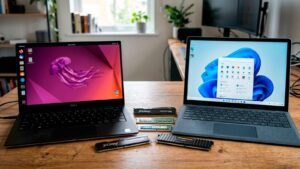
- Ubuntu 26.04 LTS "Resolute Raccoon" is now available with GNOME 50, Linux kernel 7.0 and Wayland as the only graphical session on the main desktop.
- The LTS edition offers up to 15 years of support by combining the standard five years and the extended plans of Ubuntu Pro geared towards businesses and professionals.
- Security is reinforced, encryption with TPM support, Secure Boot and the adoption of key utilities rewritten in Rust, in addition to a strong focus on AI and GPU acceleration.
- The official flavors (Kubuntu, Xubuntu, Lubuntu, Ubuntu Budgie, Cinnamon, Unity, Edubuntu, Studio and Kylin) are updated with their respective desktops and specialized uses.

The new Ubuntu Extended Support Release (ESR), 26.04 LTS "Resolute Raccoon," is now officially available for download and is the recommended edition for almost all scenarios: from basic home use to professional deployments in businesses and data centers. This release comes at a time when operating systems increasingly demand more resources and long-term stability, and Canonical responds with an edition designed to last for many years without issues.
For those who use Ubuntu daily in Spain and the rest of Europe, this release represents a significant leap forward in stability, graphics capabilities, security, and AI integration . Even so, Canonical advises more cautious users to wait for the first patch (April 26, 2019) before updating production systems, at which point the direct upgrade path from the previous LTS version will be activated.
Long-term support and upgrade cycles
Ubuntu 26.04 LTS comes with five years of guaranteed standard support, until 2031, with no additional requirements beyond installing the system. This window more than covers the typical lifecycle of most desktop and laptop computers used in European homes, SMEs, and public administrations.
For more demanding environments, Canonical extends maintenance through a subscription to Ubuntu Pro, with plans that provide security support for up to 10, 12, or even 15 years , thanks to a combination of Extended Support Management (ESM) and legacy plugins. These options are primarily geared towards servers and mission-critical deployments, although any user can subscribe to Ubuntu Pro for free on a limited number of machines.
In practice, those coming from Ubuntu 24.04 LTS and waiting for the recommended upgrade time will inherit two full years of accumulated improvements : not only the new features of 26.04, but also everything incorporated in the intermediate versions 24.10, 25.04, and 25.10. This involves profound changes ranging from the kernel and base libraries to the desktop and integrated applications.
Canonical's policy remains the same: new installations should be done with Ubuntu 26.04 LTS , while on production systems it is advisable, as a precaution, to wait for the first maintenance point, scheduled for summer, when the upgrade invitation from 24.04 will also be activated on the system itself.

Core, basic components and hardware requirements
Ubuntu 26.04 LTS's technological foundation is very up-to-date: Linux kernel 7.0, systemd 259, and Mesa 26 as its fundamental pillars. This combination significantly improves support for recent hardware, including the latest generation Intel Core Ultra processors, integrated Intel Xe3 graphics, and a wide variety of dedicated GPUs from NVIDIA and AMD.
In terms of specifications, the official documentation raises the recommended requirements to a dual-core CPU at 2 GHz, at least 6 GB of RAM, and 25 GB of free disk space . Although Ubuntu can still be installed on machines with 4 GB of RAM, Canonical itself acknowledges that the experience will be less efficient and suggests using lighter versions like Xubuntu or Lubuntu on less powerful machines.
For European users who rely on virtualization or cloud deployments, this release strengthens support for key technologies: ARM-specific optimizations, improvements to secure virtualization (AMD SEV, Intel TDX), and updated OVMF firmware for virtual machines. All of this results in more predictable and secure boot times for both servers and desktops running within hypervisors.
Reorganizing the firmware package into manufacturer-specific modules will also have a practical impact: updates become lighter and it is possible to do without drivers that are not needed, something relevant in environments with limited connections or where many machines are moved, such as some corporate networks.
Wayland by default and GNOME 50 on the desktop
The main edition, Ubuntu Desktop, is where the most visible changes are seen. The desktop now uses GNOME 50 with exclusive Wayland login , eliminating the option to log in with Xorg in the official GNOME variant. Applications that still depend on X11 continue to function thanks to XWayland, but the system is definitively shifting towards the new protocol.
For the end user, this translates to a smoother desktop experience, improved handling of high-resolution displays, and more refined integration of touch gestures , especially on laptops with advanced trackpads. Variable refresh rate (VRR) is enabled where the hardware allows, and fractional scaling offers finer values, such as 133% or 166%, for 4K monitors and multi-monitor setups common in offices.
One of the most discussed changes is the removal of X11 sessions in GNOME . For very specific uses (advanced screenshots, certain remote control tools, or older workflows) this may require some adjustment, although Canonical points out that other Ubuntu flavors can still offer Xorg-based sessions if their desktop environment supports it.
GNOME 50 also brings a revamped interface with smoother animations, redesigned dialogs, and a new grouped notification system . Notifications are organized by application, making it easier to manage the flood of messages in work environments overloaded with background services, messaging, and email.

Visual changes: Yaru theme, icons, and design adjustments
While not a radical redesign, Ubuntu 26.04 LTS introduces several noticeable aesthetic changes . The Yaru theme updates folder icons, now in full color and matching the system's accent color, and adjusts details such as the appearance of the boot animation and corner radii in dialogs and menus.
Another visible change is that the Ubuntu dock abandons its default transparency in favor of an opaque background , visually aligned with the top bar. Those who prefer the previous style can restore some transparency through advanced settings, but Canonical is opting for a more consistent and legible appearance.
Notifications and some interface text make more generous use of bold typography to improve readability , which is appreciated on small screens or multi-monitor setups. Additionally, the login screen adopts a darker background with higher contrast, prioritizing both usability and accessibility.
In parallel, several key application icons (such as LibreOffice or the docked trash can) have been tweaked to maintain a consistent look. These are subtle changes, but Canonical's goal is for the overall design to "feel good" without being too noticeable , something that becomes especially apparent after a few minutes of use when coming from older versions of Ubuntu.
New default applications and system reorganization
Ubuntu 26.04 LTS comes with a revamped set of pre-installed desktop applications . Several classic GNOME utilities give way to alternatives rewritten with modern technologies (GTK4, libadbita, and in some cases, Rust) that aim for better visual integration and greater security.
The traditional document viewer is replaced by an application based on the Evince code but redesigned with more annotation features , while the Loupe image viewer takes over from Eye of GNOME, with support for multi-touch gestures and a more advanced image rendering engine. The classic system monitor is replaced by Resources, which offers clearer graphics and a more accessible presentation of processes, services, and hardware usage.
Another notable new feature is the new default terminal, designed for modern environments with graphics acceleration , profiles, tabbed viewing, and visual details such as a header that changes color when working with elevated privileges. While these new tools retain familiar names and concepts, Canonical keeps the older versions in the repositories for those who need them, especially in corporate contexts with legacy scripts or workflows.
Conversely, some utilities are no longer pre-installed. This is the case with the "Software & Updates" application and the graphical startup application manager . The former is being removed because it was determined that certain options could compromise system integrity if used without proper knowledge, while the latter is being replaced by automatic startup controls in the applications panel of the settings menu. Both can be recovered from the repositories if the user wishes.
Enhanced security: encryption, Secure Boot, and tools in Rust
Security is one of the areas where this release makes the most visible progress. The Ubuntu Desktop installer incorporates full disk encryption backed by TPM (Trusted Platform Module), which has moved beyond its experimental phase and is now considered production-ready, provided the hardware is compatible and the Secure Boot requirements are met.
This TPM-related encryption is accompanied by improved recovery key management and specific alerts in case of firmware updates that may affect the module. However, the classic option of using passphrase-based encryption with LUKS is still available, so devices without a TPM or with unsupported chips are not left without disk protection options.
Ubuntu 26.04 LTS also makes improvements to Secure Boot and the boot chain, broadly enabling NX protection against code execution and simplifying older configurations in favor of more robust alternatives. All of this results in a system that is more difficult to compromise from the outset, a particularly relevant aspect for businesses and public organizations that must comply with security regulations.
Another significant development is the adoption of Rust implementations of critical components like `sudo` and coreutils . The Rust version of `sudo` maintains the same command and adds features such as displaying asterisks when entering a password, but its primary focus is on reducing the risk of vulnerabilities related to memory issues. The same applies to basic command-line utilities, which can continue to use their classic equivalents if needed for compatibility.
Performance, AI, and support for modern GPUs
The combination of the Linux 7.0 kernel, Mesa 26, and the latest official drivers positions Ubuntu 26.04 LTS as an environment ready to take advantage of the latest generations of hardware . On laptops with 3rd-series Intel Core Ultra processors, for example, improvements in both performance and battery life are expected by better utilizing power management capabilities and the new NPUs.
One of the biggest headlines of the release is the native integration of NVIDIA CUDA and AMD ROCm into the repositories . These are the two main stacks for GPU-accelerated computing in areas such as artificial intelligence, machine learning, and high-level rendering. In practice, this allows developers and technical teams to install these environments directly using apt, without relying on external repositories or complex manual installations.
The edition also includes support for NVIDIA DOCA-OFED and specific improvements for Intel Xe3 integrated graphics and their neural processing units . This puts both workstations with dedicated GPUs and laptops with integrated graphics in a better position to run accelerated workloads, which is especially interesting for research labs, universities, and small European tech companies.
Beyond AI, improvements to the apt package manager include clearer output and additional commands to understand why certain packages are installed, review the change history, and undo operations. It's a subtle but noticeable change for system administrators managing Ubuntu systems in medium-sized and large organizations.
Software management, App Center, and updates
The app store is also evolving. The new App Center unifies the management of Snap and Deb packages in an interface that prioritizes clarity and performance. A useful new feature is the ability to filter and manage software installed as Debian packages separately, something that was more limited in the previous version.
App Center now allows some Debian applications to be updated directly from the store , although to maintain complete control over system updates, it is still recommended to use the software updater or the command line. To avoid interrupting the user, the system uses an indicator in the top bar to notify them of pending updates, preventing a pop-up window from appearing in the middle of their work.
Another practical change is in desktop search: the activity summary can suggest Snap apps that aren't yet installed and even a shortcut to launch a web search in Firefox with the query already prepared. These options, designed to streamline software installation and browsing, can be disabled in the search section of settings if they don't suit the user's preferences.
For its part, Nautilus (the file manager) incorporates notable improvements: faster directory loading, much more agile thumbnail generation, and a more powerful search system with date filters. The sidebar has also been reorganized, displaying internal drives alongside external ones, and access to networks and remote locations has been simplified—a common feature in shared work environments.
Privacy, accessibility and digital well-being
In line with European regulations, Ubuntu 26.04 LTS strengthens its privacy and accessibility features. The telemetry system, which remains optional and focused on hardware and configuration information , has been modernized and offers clearer controls in the Privacy and Security panel. Users can review what data is being sent and disable it at any time.
Accessibility is being improved in several areas of the system. The corresponding menu on the login screen is now in a more visible and accessible position , allowing users to activate the screen reader, on-screen keyboard, or magnification even before logging in. GNOME 50 introduces settings such as motion reduction and improvements to the screen reader, as well as visual adjustments focused on enhancing contrast.
One notable addition is the new digital wellbeing and screen time management dashboard , which allows users to see how much time they spend on their devices each day, set time limits, and configure reminders to take breaks. These features, similar to those offered by other popular systems, can be complemented with parental controls for managed accounts, which may be useful in educational or family settings.
In parallel, a battery charging limit control is being introduced for compatible devices, capable of capping the maximum charge at 80%. This option is particularly appealing to laptop users who want to extend battery life, a crucial factor at a time of rising prices and slower device replacement in many European households.
Official flavors: desktop alternatives and specific uses
As is customary, alongside the main Ubuntu release, the so-called "official flavors" are published . These share the same underlying technology but offer different desktop environments and application suites. For those who aren't comfortable with GNOME, these variants are perfectly valid and, in many cases, recommended options.
Kubuntu 26.04 LTS comes with KDE Plasma 6.6 and the KDE Gear 25.12 suite , offering a highly customizable environment similar to what many users associate with the classic Windows desktop, featuring a bottom panel, traditional application menu, and a wealth of fine-tuning options. Ubuntu Studio shares this same Plasma 6.6, geared towards professional multimedia creation.
At the lighter end of the spectrum are Lubuntu 26.04, with LXQt 2.3, and Xubuntu 26.04, which finally brings Xfce 4.20 to an LTS release . These versions are especially suitable for computers with 2-4 GB of RAM or somewhat older hardware, which is very common in educational institutions, small municipalities, or associations that reuse equipment in Spain and other European countries. Xubuntu also offers a minimal edition without Snap packages, designed for those who want to avoid this format.
Ubuntu Budgie 26.04 features Budgie 10.10, a modern and lightweight desktop with a classic layout . Ubuntu Cinnamon 26.04 offers Cinnamon 6.4 for those who prefer an experience very similar to traditional Windows. Ubuntu Unity 26.04 brings back the familiar Unity 7.7 desktop, with its side launcher and distinctive aesthetic, although in this case it is not an LTS release with as long-term support as the main edition.
Completing the catalog are Edubuntu, geared towards educational environments; Ubuntu Studio, focused on multimedia production ; and Ubuntu Kylin, aimed at the Chinese market. All of them share the same kernel and repositories as Ubuntu 26.04 LTS, benefiting from the same security updates and core improvements.
The only major absence this year is Ubuntu MATE, which doesn't have a 26.04 LTS edition. Those looking for an environment similar to the classic GNOME 2 can find reasonable alternatives in Xubuntu or Ubuntu Cinnamon itself, depending on their preferences and the type of hardware available.
For those using Ubuntu on servers —whether in their own data centers or in public clouds such as AWS, Azure, Google Cloud, IBM Cloud or Oracle Cloud—, the new LTS also comes in Server and WSL editions , with tools such as Juju, MAAS, LXD or Multipass updated and aligned with the current needs of automated deployment and containers.
Overall, Ubuntu 26.04 LTS "Resolute Raccoon" presents itself as a significant update, combining a more modern desktop, a clear security boost, and extended support designed for a wide range of scenarios , from personal laptops to enterprise infrastructure. Those upgrading from a previous LTS will notice both visible and internal changes, but the goal remains the same: to offer a predictable system with a stable update cadence and a maintenance horizon long enough to avoid worrying about the next update for quite some time.