- Rugged smartphone that runs Android 16, Debian Linux and Windows 11 on a single device
- Turn your mobile phone into a desktop PC by connecting it to a monitor, keyboard, and mouse.
- Based on the Qualcomm QCM6490 chip, with 12GB of RAM, 256GB of storage, and long-term support
- Price of $549 with reservations via refundable deposit and professional niche focus
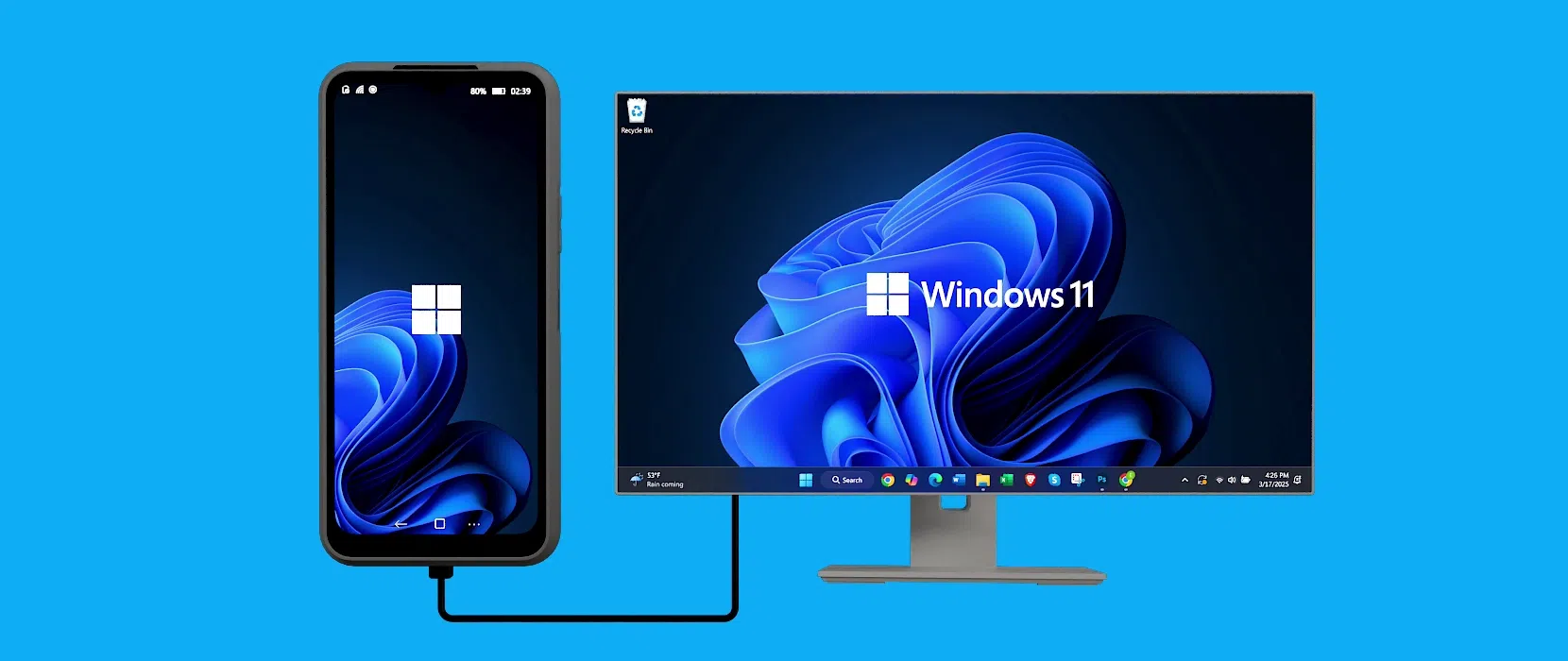
The old idea of Use your mobile phone as if it were a complete computer Nex is back in the spotlight with a very specific project: NexPhone. This device, developed by Nex Computer (the company behind the NexDock lapdocks), isn't limited to a simple desktop mode on Android; it aims to go a step further by putting Android 16, Debian Linux, and a full version of Windows 11 on ARM all in one pocket.
The approach is simple on paper: a single device capable of being both a daily mobile phone and a work PC Depending on whether you use it in your hand or connect it to a monitor, keyboard, and mouse, the offering targets a very specific audience, also in Spain and Europe, that prefers to carry fewer devices, even if it means accepting certain compromises in power or design compared to the most advanced smartphones.
NexPhone: a smartphone designed to replace the laptop
In its most basic form, the NexPhone functions as a relatively conventional Android 16 mobile phoneAccording to the company, it won't have overly cluttered layers or unnecessary pre-installed apps. The idea is that, in everyday use, it will behave like any other mid-to-high-range device: messaging, social media, browsing, streaming, and little else.
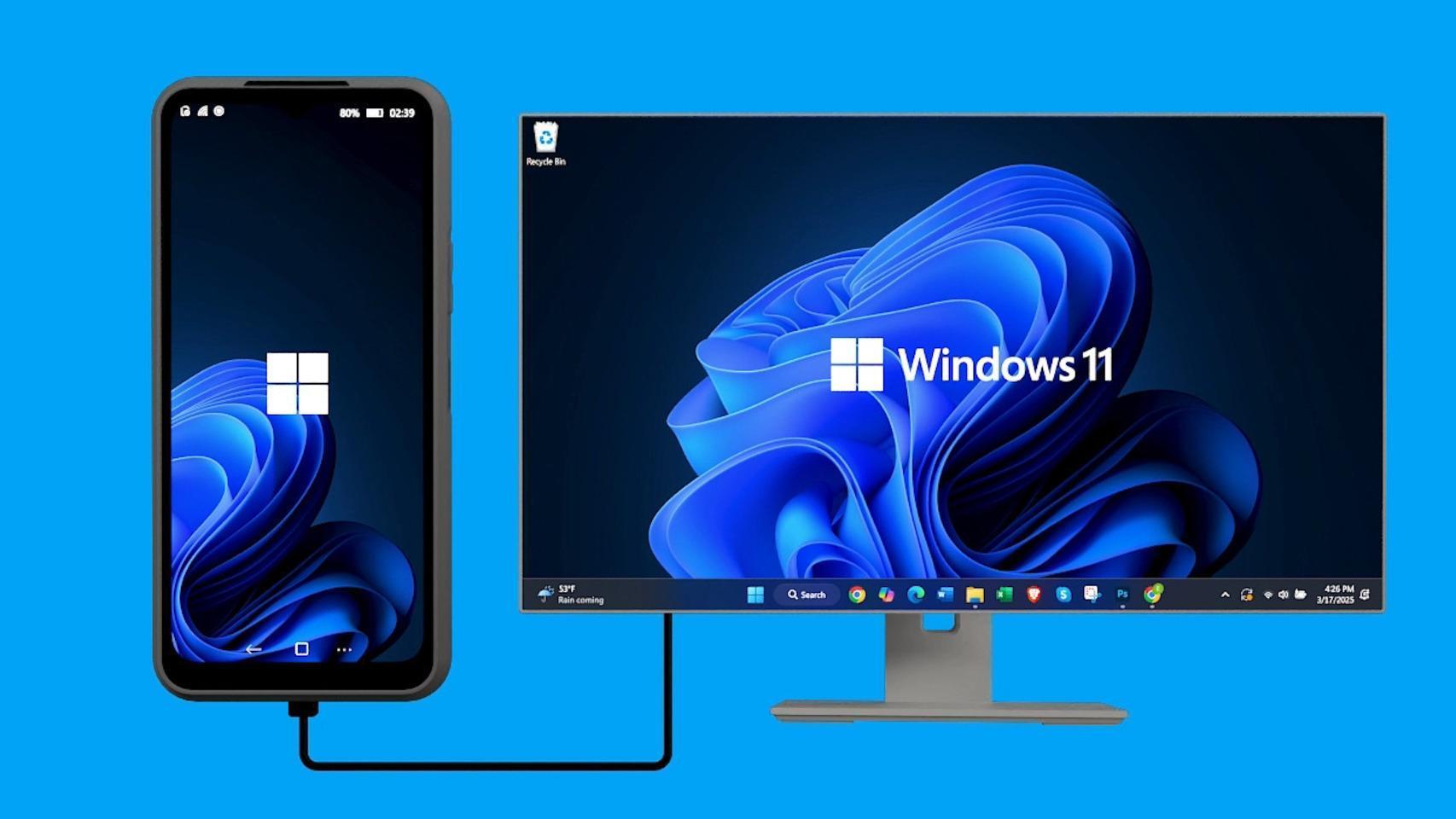
The difference emerges when its convergence approach comes into play. The phone is designed to act as a desktop or lightweight laptop Simply plug it into an external display via USB-C and add a keyboard and mouse. At that point, the user can choose whether to work with an Android-based desktop, Debian Linux, or Windows 11, each with its own interface and advantages and disadvantages.
This approach is reminiscent of previous attempts like Samsung DeX or Motorola Ready For, but NexPhone aims to go further by run complete desktop systemsIt's not just an expanded Android interface. The company describes it as a device capable of replacing several devices at once: a mobile phone, a mini PC, and in some cases, even a traditional laptop—something that could be interesting for those who frequently travel between home, the office, and coworking spaces in Europe.
The manufacturer insists that the NexPhone does not aspire to dethrone any brand's flagship phone, but rather to position itself as a secondary but very versatile toolespecially for technical users, developers, system administrators or professionals who value being able to carry their work environment with them at all times without carrying too much equipment.
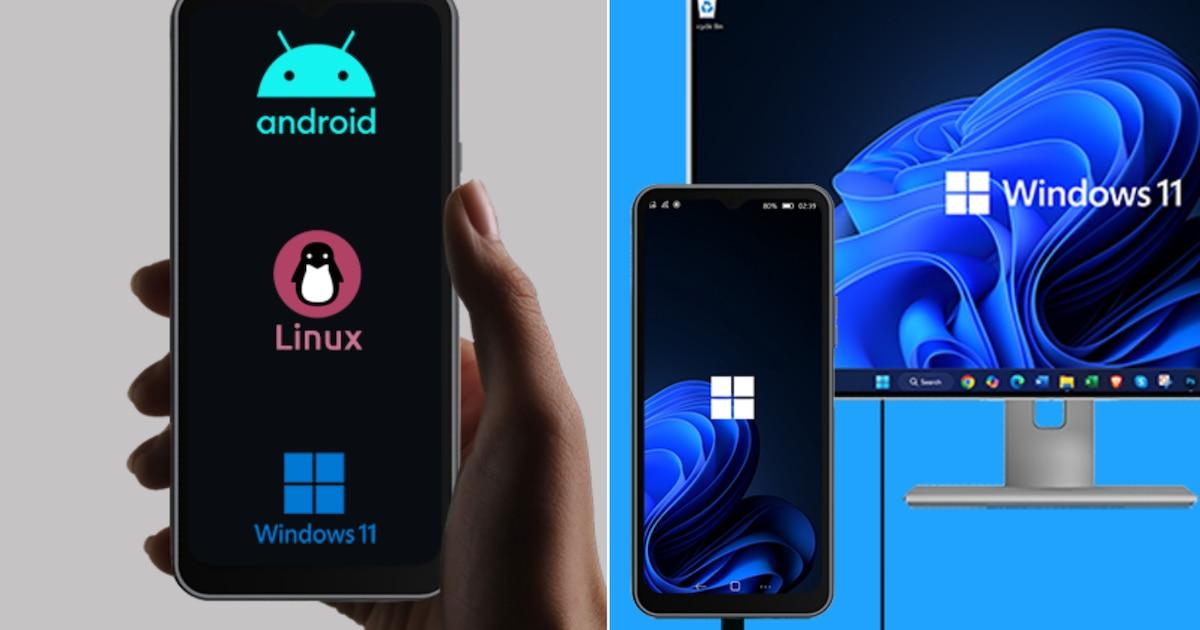
Three operating systems: Android 16, Debian Linux, and Windows 11
The NexPhone's main selling point is its ability to working with three different operating systems on the same device. On one hand, Android 16 is the main system and is used for everything related to the mobile phone: calls, apps, notifications, and Google services.
When something more advanced is needed, it comes into play Debian LinuxThis environment runs as an application within Android, a different approach to Install Android on PCBut it's designed as a complete desktop environment with a graphical interface, GPU acceleration, and access to the usual open-source software ecosystem: terminal, code editors, administration tools, lightweight servers, and more. Nex itself emphasizes that it's not a toy, but an environment designed for real work.
The integration between Android and Debian is quite well done: it's possible switch between them without restarting the phoneThis allows you to switch from light use to more technical tasks in a matter of seconds, especially when the device is connected to an external monitor and used with a keyboard and mouse.
The third pillar is Windows 11 on ARMwhich comes in the form of a dual boot. To enter Windows, it's not enough to simply open an app: you have to restart the device and choose that system at startup. Once inside, the user finds a full Windows environment, similar to that of a modern laptop, although adapted to the mid-range hardware and the chosen ARM architecture.
The choice of this triple configuration makes the NexPhone a unique device: Android mobile in your pocket, Linux for technical tasks, and Windows when software compatibility or desktop workflows are required.However, the actual benefit will depend heavily on each user's profile and their willingness to coexist with several environments at once.
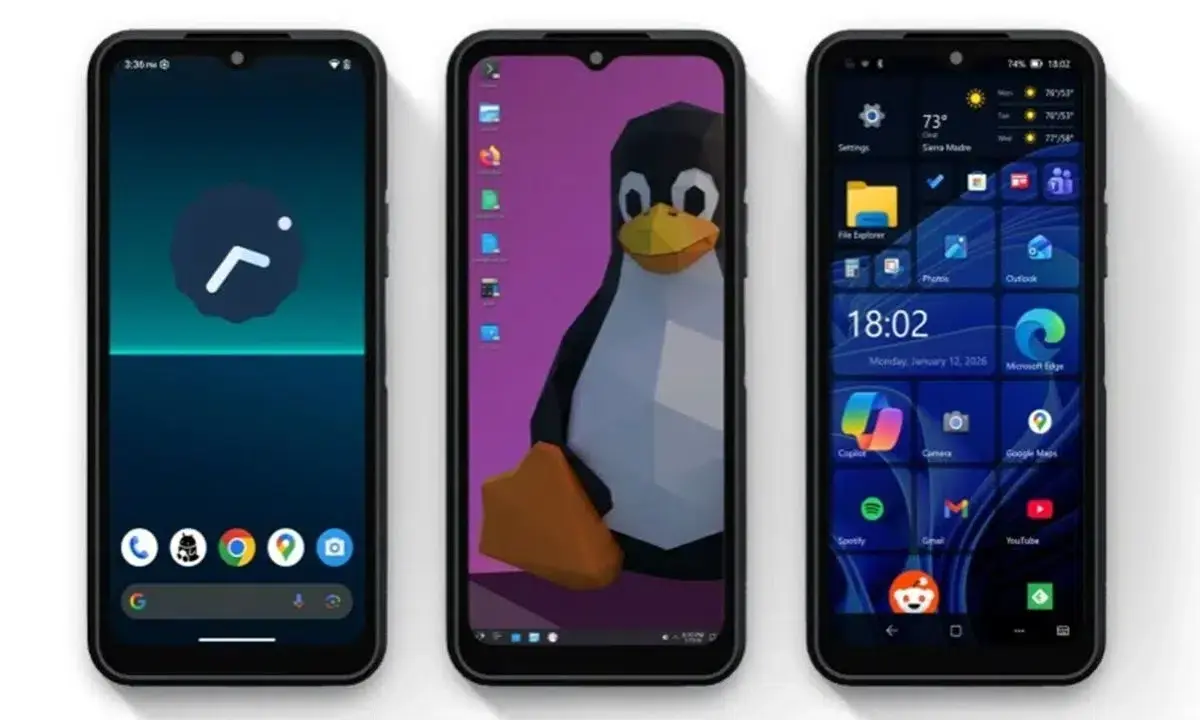
A nod to Windows Phone in the Windows 11 interface
Those nostalgic for Windows Phone will find a curious detail in the NexPhone. To make Windows 11 more usable on the 6,58-inch screen, Nex Computer has created a layer of customization reminiscent of the classic tile grid from the old Lumia phones, with tiles and shortcuts organized in blocks.
This interface is largely built on progressive web appsThese apps install like lightweight apps, open quickly, and stop when closed, reducing resource consumption. It's a way to bring some coherence to using Windows on mobile, although the company acknowledges that the real benefit comes when connecting the device to an external screen.
On a monitor, tiles serve to Organize shortcuts, web tools, and key applicationsWhile the rest of the desktop behaves like a conventional Windows 11. This mix aims to partially recapture the philosophy that Microsoft pursued with Continuum: that the same device adapts to the context, offering a mobile interface in hand and a desktop environment when connected to a screen and peripherals.
However, it is worth keeping in mind that Windows 11 ARM remains a demanding systemAnd not all traditional desktop applications work as well as on an x86 PC. Between that and the limitations of the chosen processor, it's not a device designed for very heavy workloads, but rather for office tasks, browsing, video calls, or relatively light professional tools.
How the NexPhone turns your mobile phone into a desktop PC
The key element of the NexPhone concept is its ability to project a complete desktop environment via the USB-C 3.1 port. The phone can connect directly to monitors compatible with USB-C input, or to HDMI displays using an adapter or hub that Nex includes or sells with the device.
Once plugged in, the user can choose to three different desktop scenariosAndroid in extended mode, Debian Linux with its PC interface, or Windows 11. In the case of Android and Debian, the switch between them is immediate; to enter Windows 11, you have to restart and boot that system, since it uses its own partition and configuration.
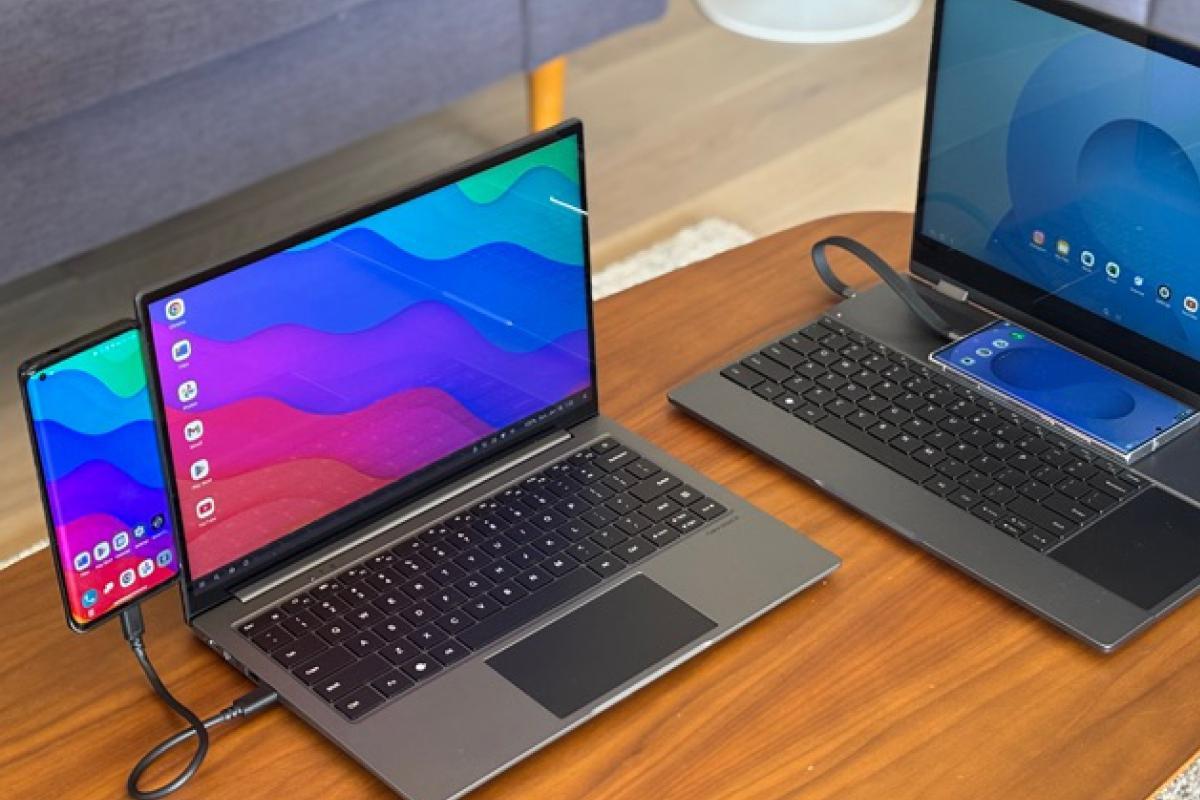
To complete the experience, the brand is making a strong commitment to accessories like the NexDockIt's a lapdock with a screen, keyboard, and touchpad that functions as a laptop "chassis" without internal hardware. When the NexPhone is connected, the system behaves like a laptop where you can choose the operating system depending on the task: Android for personal use, Linux for development, and Windows for compatibility with desktop software.
In more static environments, such as an office or a home desk, the telephone can be combined with a multi-port USB-C hubIt should offer HDMI output, USB-A for peripherals, and simultaneous charging. This allows you to use a Bluetooth or wired mouse and keyboard while keeping your phone powered up and acting as the computer's brain—something that can be practical in shared workspaces in Spain and other European countries.
This approach seeks to leverage existing infrastructure (monitors, keyboards, mice) in companies, universities or coworking spacesreducing the need to duplicate equipment. However, the final experience will depend heavily on the internet connection, application compatibility on each system, and the hardware limitations themselves.
The heart of the NexPhone: Qualcomm QCM6490 and long-term support
Nex Computer has opted for an unusual path in the consumer market by choosing the Qualcomm QCM6490 as the main processorThis is a chip originally geared towards industrial and IoT solutions, related to the 2021 Snapdragon 778G/780G, which combines moderate performance with longer-than-average software support.
This SoC integrates a CPU of eight ARM cores (Cortex-A78 and Cortex-A55) and an Adreno 643 GPU, clearly placing it in the mid-range. It doesn't compete with today's most powerful processors, but it offers a reasonable balance for running Android 16, a Linux desktop, and, with some limitations, Windows 11 on ARM.
The main reason for this choice is that the QCM6490 offers Native compatibility with Android, Linux, and WindowsThis is something the project leaders didn't find in the most modern chips designed for consumer mobile devices. Qualcomm also lists this platform as compatible with Windows 11 IoT Enterprise and promises updates and support until at least 2036.
For a device that aims to serve as a "pocket PC" for several years, that support horizon is relevant: the idea is to be able to Keep up to date with security patches and versions of the three operating systems without relying on short hardware renewal cycles. In Europe, where there is increasing awareness of device lifespan, this approach may appeal to certain users.
The less pleasant side is that Performance remains at a moderate levelFor tasks like demanding video editing, heavy gaming, or intensive work in Windows 11, the NexPhone isn't going to compete with a high-end laptop or smartphone. The company itself makes it clear that the focus is on versatility and longevity rather than benchmarks.
120Hz display, ruggedized design, and durability certifications
On the front, the NexPhone features a panel 6,58-inch IPS LCD with Full HD+ resolution (2.403 × 1.080 pixels), offering a density close to 400 pixels per inch. The screen supports a refresh rate of up to 120 Hz, with the option to drop to 60 Hz to save energy in certain scenarios.
Protection is provided by Corning Gorilla Glass 3This solution, while not the most modern, helps reduce the risk of scratches and minor bumps. The design retains a teardrop notch for the front camera, a somewhat outdated detail compared to the more common punch-hole displays, but acceptable on a device whose objective isn't to boast an ultra-thin design.
Where the project's focus is most noticeable is in its construction. The NexPhone is betting on a polycarbonate body with non-slip rubber finishDesigned to better withstand drops and intensive use. It has IP68 and IP69K certifications for water and dust resistance, and meets the MIL-STD-810H military standard, indicating a certain tolerance to shocks, vibrations, and adverse environmental conditions.
All this reinforcement results in a terminal that is clearly bulkier and heavier than average: around 173mm high, 82,6mm wide, and 13,1mm thickWeighing around 256 grams, it's not a phone designed for those who prioritize lightweight pockets, but in return it offers durability that can be useful in fieldwork, construction, logistics, or outdoor activities.
The device arrives in Dark gray color with an integrated rubber protectorreinforcing its image as a robust tool. It doesn't aim to compete on premium design, but rather on durability and practicality, something that may appeal to European professionals who already work with ruggedized mobile phones in industrial or service sectors.
Memory, storage, cameras and battery
To support three operating systems and their corresponding multitasking, the NexPhone incorporates 12 GB of RAMThis is a generous amount of RAM for a mid-range device. This amount should allow for relatively smooth operation between Android, the Debian environment, and, to a large extent, Windows 11, reducing loading times and abrupt transitions between applications.
In terms of internal storage, the terminal offers 256 GB capacity expandable via microSD Up to an additional 512 GB. This space is key for hosting not only the usual mobile apps and data, but also heavier Linux installations, development tools, working files, and, if applicable, Windows 11 software that may require more space. transfer data.
In the photographic section, the device mounts a 64-megapixel main camera with Sony IMX787 sensorIt also features a 13MP ultra-wide-angle lens. The front camera is 10MP, sufficient for frequent video calls, remote work meetings, and transfer photos from mobile to computer and casual selfies, without aspiring to reign in mobile photography.
Although photography is not the focus of the project, this set places the NexPhone in a competitive zone within the mid-range, sufficient for documenting fieldwork, taking pictures for reports or simply taking everyday photos without too many pretensions.
The battery, meanwhile, reaches 5.000 mAh capacityIt supports both 18W wired fast charging and wireless charging. On paper, this should allow you to get through the day with mixed smartphone use, although power consumption increases significantly when the phone is used as a PC connected to a monitor and peripherals. In that scenario, Nex itself assumes that it will typically be used plugged into a power outlet.
Connectivity and mobile usage
The NexPhone's connectivity is on par with a modern device: 5G for mobile networks, Wi-Fi 6E and Bluetooth 5.2 LEIn addition to support for the main global positioning systems, this combination is especially useful for those who travel frequently in Europe and need good coverage both on the go and in offices and homes with the latest generation routers.
The USB-C 3.1 port acts as the central hub for data, video and powerThanks to it, the terminal can be connected directly to compatible monitors or to a hub with HDMI output and extra ports, simplifying the setup of temporary workstations in coworking spaces, libraries or client sites.
In practice, the most logical scenario for many users will be to carry the NexPhone as secondary working deviceAlong with a minimal set of accessories (a small dock, a mouse, and a foldable or Bluetooth keyboard), this combination allows you to set up a reasonably comfortable desktop environment almost anywhere with a screen.
Price, bookings and availability in Spain and Europe
Nex Computer has set the NexPhone price at $549positioning it in a similar range to many traditional mid-to-high-end mobile phones, but with a very different proposition in terms of use and target audience.
The company has opened a system of Advance reservation via a refundable deposit of $199This deposit is deducted from the final amount at the time of shipment and can be refunded if the buyer decides to cancel beforehand. This is a common practice in niche projects that aim to gauge genuine community interest before producing large volumes.
The planned schedule places the arrival of the NexPhone to the market in the third quarter of 2026Although details regarding physical distribution have not yet been released, everything points to it being sold primarily through the company's website, with international shipping similar to that of current NexDock products, so its arrival in Spain and other European countries will depend largely on direct online sales.
There are still open questions, such as Windows 11 license management This type of device, or the confirmation of full certification of Google services in all regions, are relevant aspects for the European experience. All in all, the NexPhone is shaping up to be a clearly niche product, aimed at those willing to use multiple platforms, accept more robust than glamorous hardware, and embrace the idea that a single device can function as an everyday mobile phone, a ruggedized terminal, and an emergency PC, depending on the situation.
