- WhatsApp allows you to schedule native messages between 10 minutes and 14 days later.
- It can be used in individual and group chats, with text, photos or videos, on Android and iPhone.
- The message is sent even if the mobile phone is switched off or has no battery and maintains end-to-end encryption.
- Pending items can be viewed and cancelled before shipment; the recipient is not notified if they are deleted.

WhatsApp now allows you to schedule messages natively to be delivered on a specific date and time. The user types the text, presses and holds the send button, and chooses when they want it to arrive. The feature works on Android and iPhone, in both individual and group chats, with a range of 10 minutes to 14 days.
The feature supports text messages, photos, and videos, and doesn't require any external apps. The recipient will receive the content as a normal message, with no indication that it was scheduled . WhatsApp maintains end-to-end encryption and has begun a phased rollout that will be completed in the coming weeks.
How message scheduling works on WhatsApp
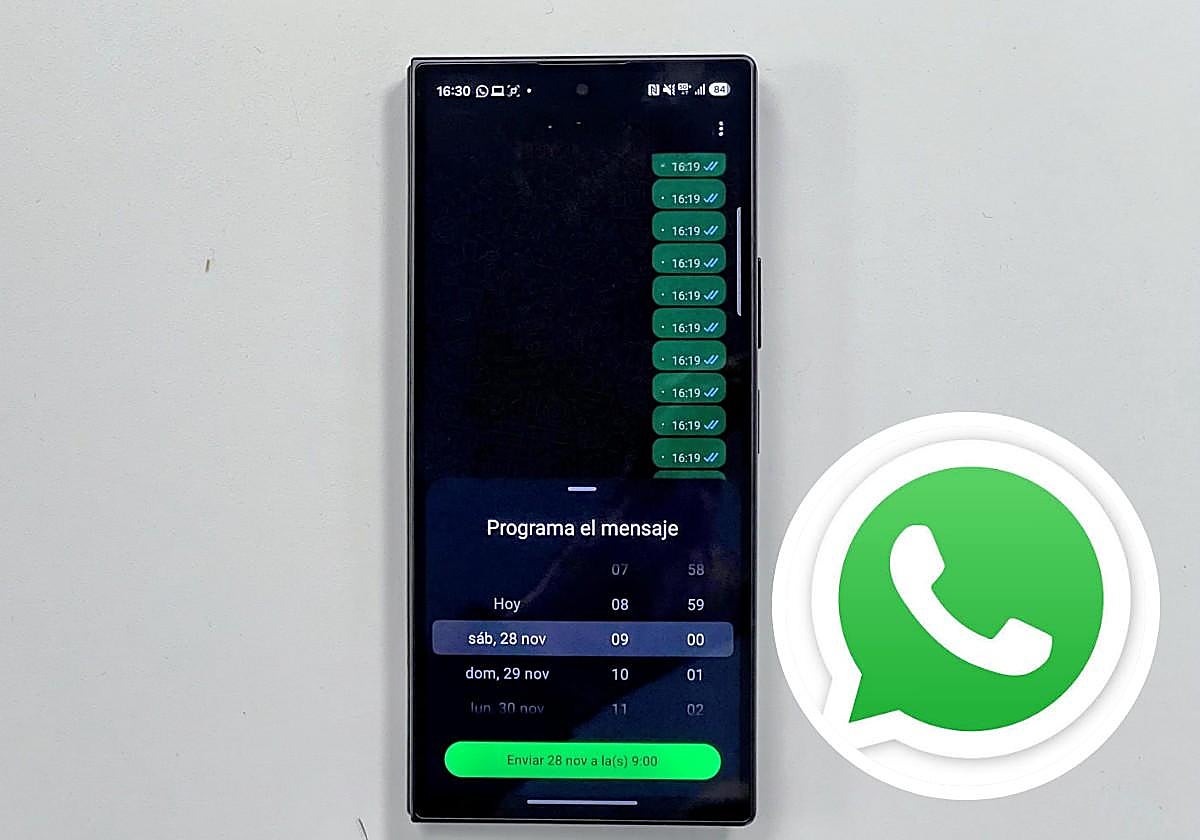
To use it, open the conversation and write your message or attach a photo or video. Then, instead of pressing the send button once, press and hold it . A selector will appear to choose the day and time, and you just need to confirm the schedule.
The delivery time can be set from 10 minutes to 14 days later , with no difference between individual and group chats. The tool is available on Android and iPhone, and also supports multimedia content. If the user changes their mind, they can view pending messages and delete them before they are delivered.
Scheduled messages appear in the chat itself and in the scheduled messages section , where they can be reviewed before the scheduled time. Deleting one does not notify the other person. This option is useful for correcting a mistake or canceling a greeting that is no longer relevant.
What happens if you turn off your phone or change your mind?
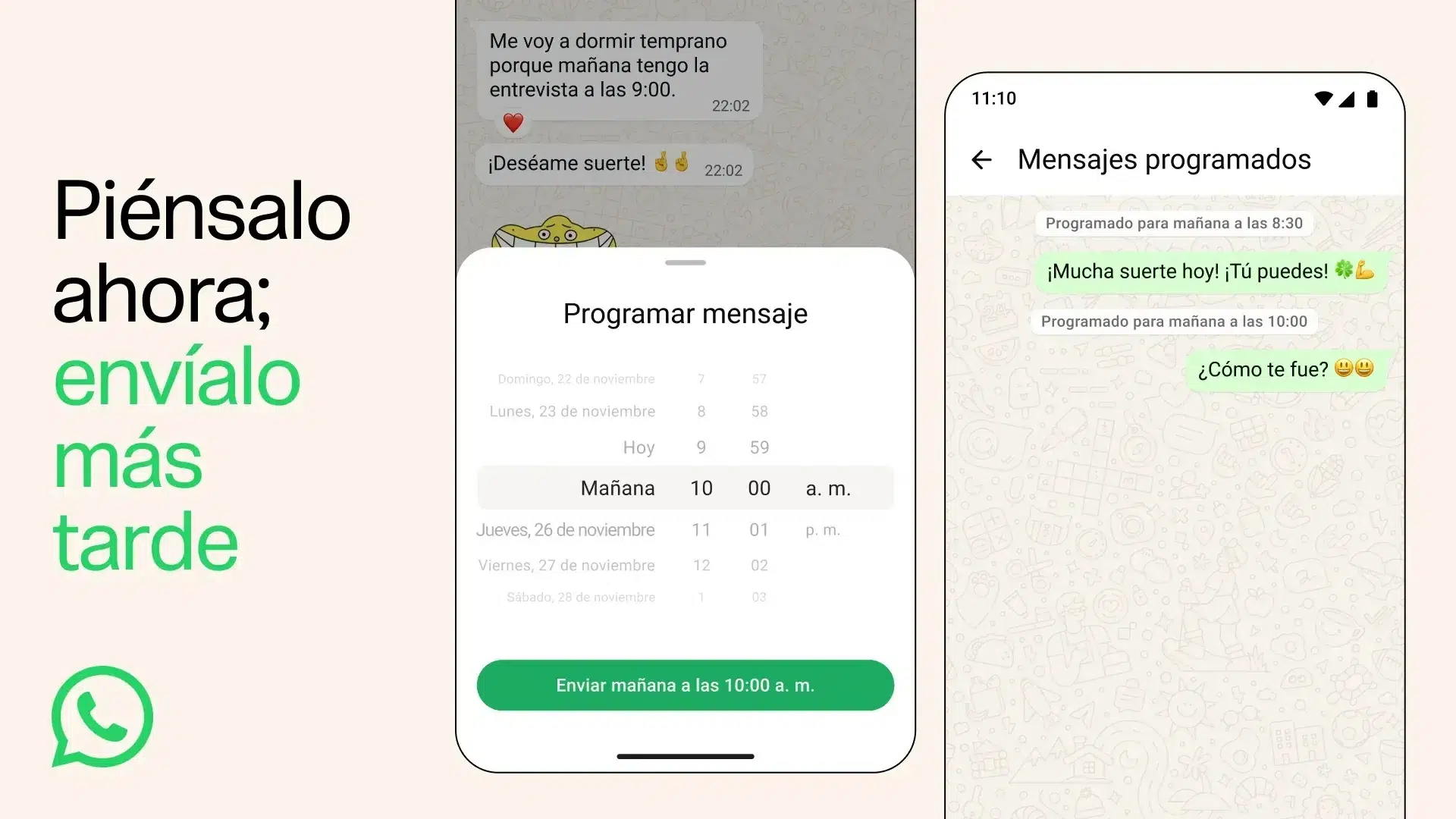
The scheduled message will be sent at the chosen time even if the phone is turned off or the battery is dead. The schedule is saved on WhatsApp's servers and doesn't depend on the app remaining open. The content retains end-to-end encryption, just like all your other personal conversations.
The recipient will not see a label indicating that the message was sent earlier. The conversation will appear normally, like any other message. If the sender cancels the message before the scheduled time, the recipient will not receive any notification that the message was scheduled.
Before sending, the user can review pending messages and delete any they no longer wish to send. This review can be done from the chat or the dedicated scheduled messages section . This option does not change the content or add any marks visible to the other person.
What is the purpose of scheduling messages in WhatsApp?
Scheduling is practical for sending congratulations and reminders that can't be forgotten. It's also useful for preparing work messages outside of working hours and sending them first thing in the morning, or for notifying a group about an upcoming activity. This avoids writing at inconvenient times and gives you more time to organize.
In group chats, it can be used to coordinate meetups, schedule changes, or important announcements. In individual chats, it makes it easy to send a greeting at the exact moment, even if the recipient can't use their phone at that moment. The feature is ideal for messages that aren't urgent but need to arrive at a specific time.
The rollout is happening gradually worldwide, so the option may take some time to appear even if your app is up to date. It's a good idea to update WhatsApp from the Google Play Store or App Store and check if the toggle is active. If it's not there, you'll usually have to wait for the update to complete on your device.

How to check if you already have scheduled messages

To check if the feature is already active, update WhatsApp and open a chat. Then, type a message and press and hold the send button: if the date and time selector appears , the tool is available. If it doesn't appear, the feature hasn't been rolled out to that account yet.
The entire process is simple and requires no external tools :
- Update WhatsApp from Google Play or the App Store.
- Open an individual chat or a group chat and write the message; you can attach a photo or a video.
- Press and hold the send button and choose the date and time.
- Confirm the schedule and check the message in the scheduled section to cancel it if you change your mind.
This option allows you to prepare a message up to two weeks in advance and is protected by end-to-end encryption. The message arrives even if the phone is switched off or the battery is dead, and the recipient sees it as a normal message. Availability depends on the device receiving the latest update.
