- Keys to writing effective prompts based on role, task, context and format.
- Gemini Live functionalities and intelligent control applied to driving and navigation.
- Automation of SEO content and bulk translations for Magento 2 stores using API.

If you've noticed that artificial intelligence is everywhere, you've probably already heard of Gemini. But let's be honest, having the tool isn't the same as knowing how to get the most out of it . Many people only scratch the surface, asking simple questions, when in reality this system is capable of completely transforming the way we manage our cars, our online businesses, or our daily workflow.
The interesting thing is that, although it may seem intuitive, there's a whole art behind how we interact with AI. From official Google guides for mastering prompts to deep integrations in e-commerce platforms or vehicle infotainment systems, Gemini has become a versatile assistant. Let's break down in detail how you can leverage it in each of these scenarios so you can stop using it as a search engine and start using it as a true productivity engine.

Master the art of prompting: The Prompting Guide

For those who want to take it to the next level, Google has released a detailed roadmap called "Guide to Directions 101." The secret to getting AI to avoid generic answers lies in four fundamental pillars. First, you must define who the writer is (the role); second, what specific task they need to perform; third, provide the necessary context to avoid misunderstandings; and fourth, specify the output format, whether it's a word limit or a specific structure.
One detail that makes all the difference is naturalness. There's no need to speak like a machine; in fact, it's recommended to write complete sentences and express your thoughts fluently . Interestingly, data indicates that the most effective prompts tend to be around 21 words. Furthermore, it's normal for the first response not to be perfect, so iterating and refining the request is part of the process. If the task is very complex, it's best to break it down into several small instructions and ask for a specific tone so that the result matches what you're looking for.
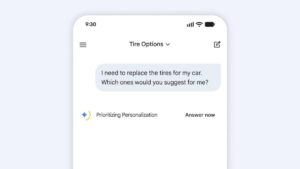
Gemini at the wheel: Your new intelligent copilot

The integration of Gemini into vehicles with Google services is changing the way you drive. It's no longer just about playing music, but about having an assistant that understands the context. Depending on the manufacturer, language, and data plan, you can manage everything from voice settings and app preferences to complete control of the vehicle's interior. If you have any questions about specific features, it's always a good idea to consult your car's owner's manual.
- Smart navigation: You can ask it to find very specific places, such as gently sloping golf courses or nearby bakeries, based on your personal preferences using Gemini's AI in Google Maps.
- Communications management: Gemini can notify your contacts about your arrival time or instantly translate messages to surprise someone.
- Car control: Simply tell him it's cold or the windshield is fogged up and he'll adjust the climate control.
- Entertainment: From searching for the top country artist to creating classic radio drama-style stories to liven up a long journey.
For those seeking a more fluid experience, there's Gemini Live . This feature eliminates the need to constantly say "Hey Google," keeping the microphone open for a natural conversation. It's ideal for detailed trip planning, such as finding family activities in Lake Tahoe or checking bike rental prices without interrupting the flow of the conversation.

Boosting E-commerce with Gemini in Magento 2

For online store owners, AI isn't just for chatting; it's for automating the heavy lifting. Extensions like Knowband's for Magento 2 allow you to generate and translate SEO content in bulk. This eliminates the need to spend hours writing product descriptions or metadata, using advanced models like Gemini 1.5 Pro or Gemini 2 Flash.
The technical process is quite simple. First, you need to obtain an API key from Google AI Studio and configure it in the store's admin panel. Once this is done, the merchant can adjust the model's "temperature": high values for more creative content and low values for maximum accuracy. You can also limit the number of tokens to control the length of the generated text.
Content automation and translations
The power of these tools lies in their pre-configured prompts. You can create optimized meta titles of fewer than 60 characters and precise meta descriptions of up to 140 characters, ensuring your store ranks higher on Google. Furthermore, AI can translate titles and descriptions while maintaining HTML formatting, allowing you to scale your business to international markets without sacrificing message quality, thanks to Google Translate's ability to learn local idioms.
This entire workflow is managed through a logging system. Tasks aren't executed instantly; instead, they go through a to-do list where the administrator can review or modify them before running them via a cron job. This ensures that the final content is consistent and professional before the client sees it.
Having Gemini at your fingertips is like going from a basic tool to a digital Swiss Army knife. Whether it's optimizing the visibility of an online store by automating metadata, transforming the travel experience with a conversational driving assistant, or applying professional prompting techniques to improve workplace productivity, the key lies in the precision of our requests and knowing how to integrate AI into existing workflows.